
Exposed Admin Panels: 7 Configuration Mistakes That Invite Intrusion
Most exposed admin panels result from misconfigured default paths and missing authentication layers rather than complex software vulnerabilities.
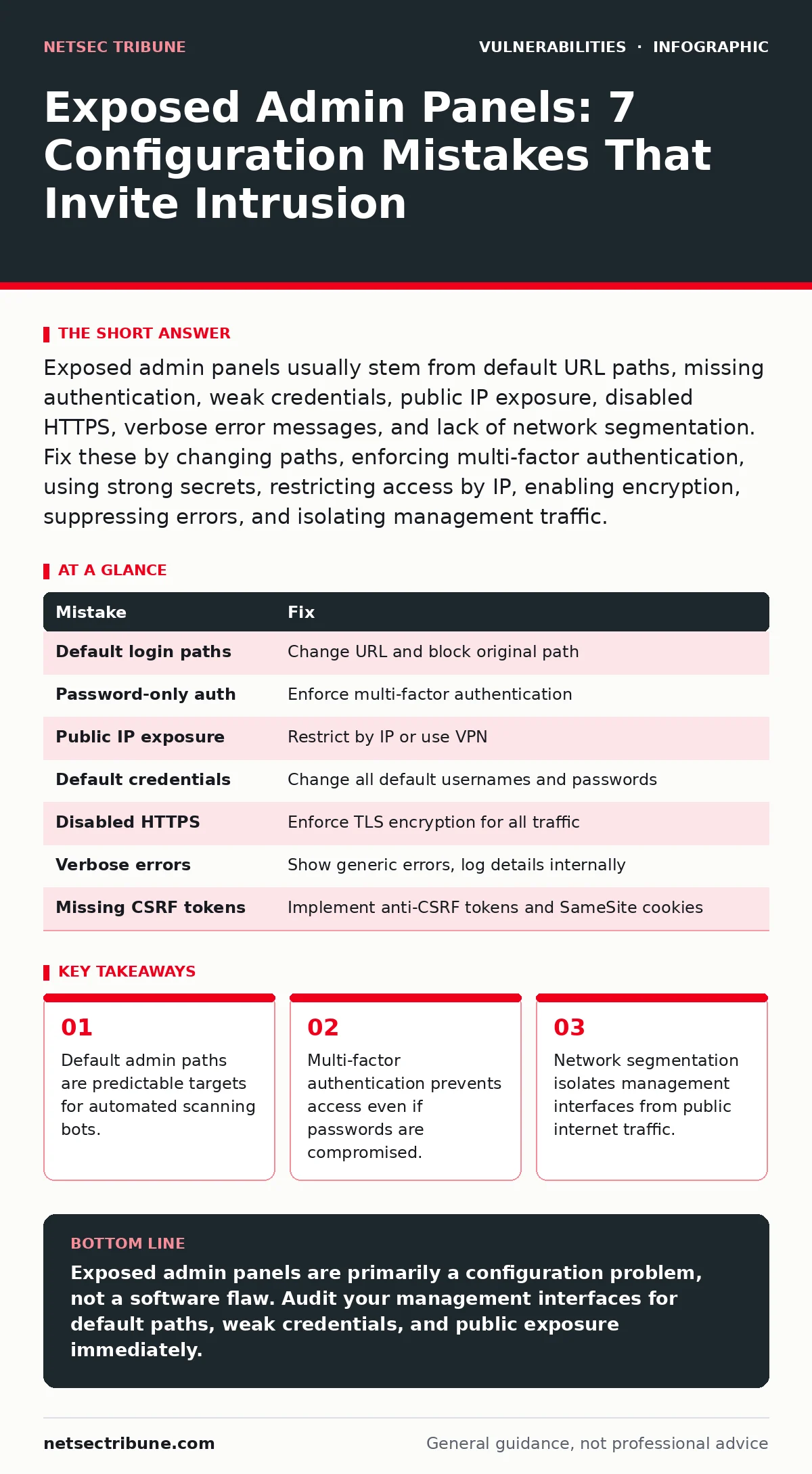
Exposed admin panels usually stem from default URL paths, missing authentication, weak credentials, public IP exposure, disabled HTTPS, verbose error messages, and lack of network segmentation. Fix these by changing paths, enforcing multi-factor authentication, using strong secrets, restricting access by IP, enabling encryption, suppressing errors, and isolating management traffic.
Mistake 1: Leaving Default Login Paths Intact
Attackers begin with known entry points. Default paths like /admin, /manager, or /wp-admin are documented in public frameworks and scanned continuously. Keeping these default routes active provides a guaranteed target for automated tools. The system does not hide the interface behind a unique identifier, making discovery trivial for anyone running a basic scanner.
Why it hurts:
Automated bots scan the entire internet for these specific URL patterns. When found, they immediately attempt brute-force attacks or exploit known vulnerabilities associated with that specific software version. You face constant noise and increased risk of successful intrusion without ever having to guess the location of the control panel.
The fix:
Change the default login URL to a non-obvious path. Configure your web server to return a 404 error for the original default path. This technique, known as security through obscurity, does not replace proper authentication but significantly reduces the volume of automated attacks. Combine this with rate limiting to further deter scanning attempts.
Mistake 2: Relying Solely on Password Authentication
Passwords are static secrets that can be stolen, guessed, or reused. Many administrators set a complex password and consider the panel secure. This approach fails when credentials are leaked from other breaches or when weak passwords are used. A single compromised password grants full administrative access to the system.
Why it hurts:
Credential stuffing attacks use lists of leaked usernames and passwords from other sites. Users often reuse passwords across services. If an attacker obtains valid credentials, they gain immediate access. There is no secondary check to verify the identity of the person logging in, making account takeover inevitable once the password is known.
The fix:
Enforce multi-factor authentication for all administrative accounts. This requires a second form of verification, such as a hardware key or an authenticator app, in addition to the password. Even if the password is stolen, the attacker cannot log in without the second factor. This aligns with best practices for broken access control mitigation.
Mistake 3: Exposing Management Interfaces to the Public Internet
Admin panels are often hosted on the same server and port as the public website. This exposes management functions to anyone with an internet connection. While convenient for remote administration, it removes the network boundary that protects sensitive controls. The management interface becomes just another public-facing service.
Why it hurts:
Public exposure increases the attack surface exponentially. Any vulnerability in the admin software, no matter how minor, becomes exploitable by anyone. Attackers do not need to bypass application-level security if they can reach the management interface directly from the internet. This violates the principle of least privilege for network access.
The fix:
Restrict access to the admin panel by IP address or subnet. Use a virtual private network for remote administrative access. If remote access is impossible, place the admin interface behind a web application firewall with strict rules. This ensures only trusted networks can attempt to connect to the management console.
Mistake 4: Using Weak or Default Credentials
Many systems ship with default usernames and passwords, such as admin/admin or root/password. Administrators sometimes leave these unchanged for convenience. These credentials are public knowledge and included in every brute-force dictionary. Using them is equivalent to leaving the door unlocked.
Why it hurts:
Default credentials are the first thing attackers try. Automated scripts test these combinations instantly. If the credentials remain default, the attacker gains full control in seconds. This mistake bypasses all other security measures, as the attacker is authenticated as a privileged user. It is a common example of security misconfigurations.
The fix:
Change all default credentials immediately upon installation. Use long, random passwords or passphrases for administrative accounts. Disable or rename default administrative usernames if the software allows it. Regularly audit accounts to ensure no default or weak credentials remain active. Consider using a password manager to generate and store complex secrets.
Mistake 5: Disabling Transport Layer Security
Some administrators disable HTTPS to save computational resources or due to configuration errors. This transmits administrative credentials and session tokens in plain text. Network observers can intercept these communications using simple packet sniffing tools. The data is readable by anyone on the network path.
Why it hurts:
Man-in-the-middle attacks become trivial. An attacker on the same network can capture login credentials and session cookies. Once the session cookie is captured, the attacker can impersonate the administrator without needing the password. This exposes sensitive configuration data and allows unauthorized changes to the system.
The fix:
Enforce HTTPS for all administrative connections. Configure the server to redirect all HTTP requests to HTTPS. Use strong cipher suites and keep certificates up to date. Disable support for outdated and insecure protocols. This ensures that all communication, including login credentials, is encrypted in transit.
See also: Broken Access Control OWASP: How to Fix IDOR and Privilege Escalation · Insider Threats Types: How Internal Access Creates External Risk
Mistake 6: Displaying Verbose Error Messages
Development environments often display detailed error messages to help programmers debug issues. Leaving these enabled in production reveals internal system details. Stack traces, file paths, and database query errors can leak sensitive information about the underlying architecture.
Why it hurts:
Verbose errors provide a roadmap for attackers. They reveal software versions, library dependencies, and database structures. This information helps attackers identify specific vulnerabilities to exploit. It turns a generic security posture into a targeted attack surface. This is a frequent contributor to CWE weakness categories related to information exposure.
The fix:
Configure the application to display generic error messages to users. Log detailed errors internally for debugging purposes only. Ensure that error logs are not accessible via the web interface. This prevents attackers from gathering intelligence about the system's internal workings while still allowing administrators to diagnose issues.
Mistake 7: Ignoring Cross-Site Request Forgery Protections
Admin panels often perform state-changing actions, such as creating users or changing configurations. If these actions lack anti-CSRF tokens, an attacker can trick an authenticated administrator into performing them unknowingly. The browser automatically includes session cookies with requests, making the attack seamless.
Why it hurts:
An attacker can host a malicious page that submits a form to the admin panel. When the administrator visits this page while logged in, the form is submitted automatically. The administrator may not notice the action. This allows attackers to change settings, create backdoor accounts, or modify data without knowing the administrator's credentials.
The fix:
Implement anti-CSRF tokens for all state-changing forms. Verify the origin of requests before processing administrative actions. Use the SameSite attribute on cookies to restrict cross-site requests. This ensures that requests originate from the expected source and not from a malicious third-party site. This complements broader vulnerability management programs.
| Mistake | Fix |
|---|---|
| Default login paths | Change URL and block original path |
| Password-only auth | Enforce multi-factor authentication |
| Public IP exposure | Restrict by IP or use VPN |
| Default credentials | Change all default usernames and passwords |
| Disabled HTTPS | Enforce TLS encryption for all traffic |
| Verbose errors | Show generic errors, log details internally |
| Missing CSRF tokens | Implement anti-CSRF tokens and SameSite cookies |
Key takeaways
- Default admin paths are predictable targets for automated scanning bots.
- Multi-factor authentication prevents access even if passwords are compromised.
- Network segmentation isolates management interfaces from public internet traffic.
Exposed admin panels are primarily a configuration problem, not a software flaw. Audit your management interfaces for default paths, weak credentials, and public exposure immediately.
Frequently asked questions
How do I find exposed admin panels in my own infrastructure?
Use internal scanning tools to identify services listening on administrative ports. Check web server configurations for default paths and verify that access controls are properly defined.
Is hiding the admin panel behind a custom URL enough?
No. Obscurity reduces automated scanning but does not stop targeted attacks. You must combine URL changes with strong authentication, network restrictions, and encryption.
What is the risk of using multi-factor authentication for admin panels?
The primary risk is user inconvenience and potential lockout if second factors are lost. However, the security benefit of preventing credential-based attacks far outweighs these operational challenges.
Can web application firewalls replace proper configuration?
No. Web application firewalls provide an additional layer of defense but cannot fix fundamental misconfigurations like default credentials or missing encryption. Proper configuration is the first line of defense.
How this guide was produced: written by the NetSec Tribune editorial team with AI assistance, checked against the public references listed below, and reviewed when the facts change. See our editorial policy or report an error.