Multi-Factor Authentication Best Practices for Secure Access
Proper MFA implementation reduces attack surface by ensuring that stolen credentials alone cannot grant access to critical systems and data.
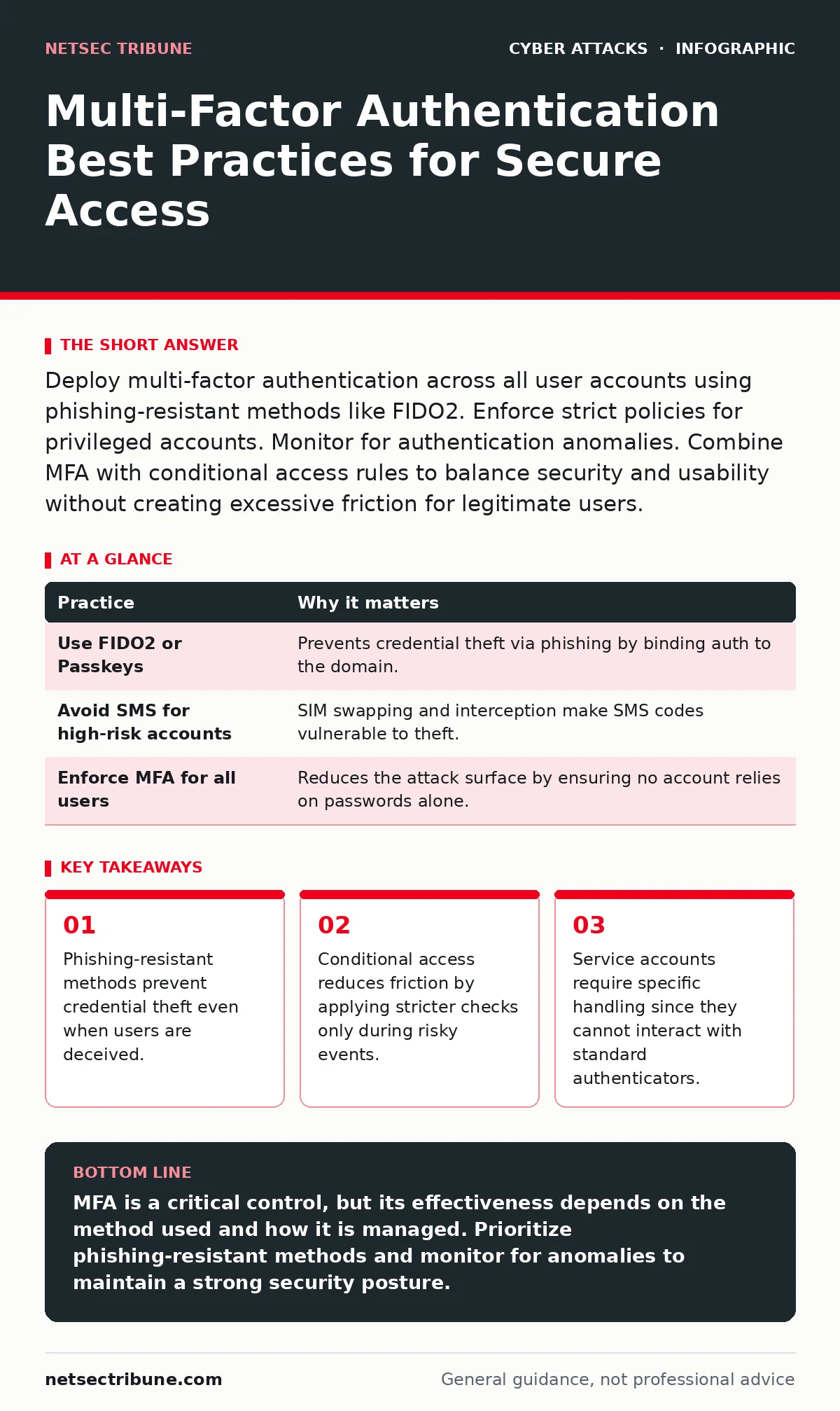
Deploy multi-factor authentication across all user accounts using phishing-resistant methods like FIDO2. Enforce strict policies for privileged accounts. Monitor for authentication anomalies. Combine MFA with conditional access rules to balance security and usability without creating excessive friction for legitimate users.
Choosing Phishing-Resistant Methods
Traditional multi-factor authentication relies on something you know, such as a password, and something you have, like a mobile phone. This combination is better than a password alone, but it has a critical flaw. If an attacker tricks a user into entering their password and approval code on a fake login page, the second factor is stolen in real time. This is known as a man-in-the-middle attack.
Imagine a user receives an email that looks like a system alert. They click the link and enter their credentials on a site that mirrors the real portal. The attacker’s server captures the data and forwards it to the real site instantly. The user gets access, and so does the attacker. This bypasses standard SMS or app-based codes.
To prevent this, prioritize methods that bind the authentication to the specific domain. FIDO2 security keys and passkeys use public-key cryptography. The private key never leaves the device, and the signature is valid only for the requested origin. This makes replay attacks impossible.
| Practice | Why it matters |
|---|---|
| Use FIDO2 or Passkeys | Prevents credential theft via phishing by binding auth to the domain. |
| Avoid SMS for high-risk accounts | SIM swapping and interception make SMS codes vulnerable to theft. |
| Enforce MFA for all users | Reduces the attack surface by ensuring no account relies on passwords alone. |
Implementing Conditional Access Rules
Applying the same level of security to every login creates unnecessary friction. Users become frustrated when they must approve every single access request, leading to click fatigue. This fatigue increases the likelihood that a user will approve a malicious request simply to get back to work.
Conditional access allows you to apply stricter controls only when the risk is high. You can define rules based on location, device health, or user role. For example, a login from a new country or an unmanaged device triggers a step-up authentication requirement. A login from a known office IP address with a managed device might require only a single factor or a push notification.
This approach balances security and usability. It protects against compromised credentials without hindering daily operations. You reduce the chance of users bypassing security controls because the process is too cumbersome.
Securing Privileged Accounts
Not all accounts are created equal. Administrative accounts have the power to change system configurations, access sensitive data, and create new accounts. If an attacker compromises a standard user account, the damage is limited. If they compromise an admin account, they can move laterally across the entire network.
Privileged accounts require the highest level of protection. You should enforce phishing-resistant MFA for all administrative roles. Additionally, consider using separate credentials for administrative tasks. This separation ensures that daily work credentials are not used for high-privilege actions.
You should also limit the number of people with administrative access. Fewer accounts mean a smaller target for attackers. Regularly review who has these privileges and remove access for those who no longer need it. This reduces the potential impact of a breach.
For deeper insights into managing these high-value targets, see our guide on API abuse for context on how attackers exploit automated access.
Handling Service Accounts and Applications
Service accounts are non-human identities used by applications to access resources. They do not have users who can approve push notifications or insert security keys. This makes standard MFA difficult to implement. Many organizations leave these accounts protected only by passwords, which is a significant risk.
If a service account password is leaked, an attacker can automate access to sensitive systems. You must use alternative methods for these accounts. Certificate-based authentication is a strong option. It uses digital certificates to verify the identity of the application.
Another option is using managed identity features provided by cloud platforms. These features automatically rotate credentials and manage access without exposing secrets. Avoid storing passwords in configuration files or code repositories. Use a secure vault to manage these secrets.
Monitoring Authentication Anomalies
Multi-factor authentication is not a set-and-forget control. Attackers adapt, and your environment changes. You need to monitor authentication logs for unusual patterns. Sudden spikes in failed login attempts can indicate a brute-force attack. Logins from multiple geographic locations in a short time suggest credential stuffing or session hijacking.
Imagine an account that usually logs in from one city suddenly has an approval request from another continent. This is a clear anomaly. Your system should flag this and potentially block the request or require additional verification.
Integrate your MFA logs with your security information and event management system. This allows you to correlate authentication events with other security alerts. You can detect coordinated attacks that span multiple vectors. Regular review of these logs helps you refine your conditional access rules.
For techniques to identify these deceptive patterns, refer to our guide on social engineering red flags.
Managing Authentication Fatigue
Authentication fatigue occurs when users are prompted to approve too many requests. Attackers can exploit this by sending multiple push notifications in rapid succession. The user, annoyed by the noise, may approve one of them without checking the details. This is known as MFA fatigue or push bombing.
To mitigate this, configure your MFA solution to limit the number of concurrent requests. If a user declines or ignores a request, lock the account temporarily. This prevents attackers from overwhelming the user with notifications.
You should also educate users on how to verify requests. Tell them to check the device and location details before approving. If a request looks suspicious, they should deny it and report it. This human element is a critical layer of defense.
Regular Policy Review and Testing
Security policies become outdated as technology and threats evolve. You must regularly review your MFA policies to ensure they remain effective. Check for new vulnerabilities in your authentication methods. Update your conditional access rules based on recent threat intelligence.
Testing your policies is equally important. Conduct tabletop exercises to simulate MFA bypass scenarios. This helps your team understand how to respond to incidents. You can identify gaps in your detection and response capabilities.
Imagine a scenario where an attacker bypasses MFA using a token theft technique. Your team should know how to detect this and revoke the compromised tokens. Regular testing ensures that your plans are practical and effective.
For guidance on simulating these scenarios, see our guide on tabletop exercises.
Key takeaways
- Phishing-resistant methods prevent credential theft even when users are deceived.
- Conditional access reduces friction by applying stricter checks only during risky events.
- Service accounts require specific handling since they cannot interact with standard authenticators.
MFA is a critical control, but its effectiveness depends on the method used and how it is managed. Prioritize phishing-resistant methods and monitor for anomalies to maintain a strong security posture.
Frequently asked questions
Is SMS multi-factor authentication safe?
SMS is vulnerable to SIM swapping and interception. It should not be used for high-risk accounts or privileged access. Use hardware keys or passkeys instead.
How do I protect service accounts that cannot use MFA?
Use certificate-based authentication or managed identities. These methods provide strong security without requiring user interaction. Store credentials in a secure vault.
What is MFA fatigue and how do I prevent it?
MFA fatigue is when attackers send multiple push notifications to trick users into approving one. Prevent it by limiting concurrent requests and educating users to verify details before approving.
Should I use the same MFA method for all users?
No. Use conditional access to apply stricter methods for high-risk events and users. This balances security with usability and reduces friction for low-risk activities.
How this guide was produced: written by the NetSec Tribune editorial team with AI assistance, checked against the public references listed below, and reviewed when the facts change. See our editorial policy or report an error.