Threat Intelligence Feeds: Seven Practices for Operational Use
Raw feed data degrades detection accuracy unless you map each indicator to a specific attack technique and validate it against your current asset inventory.
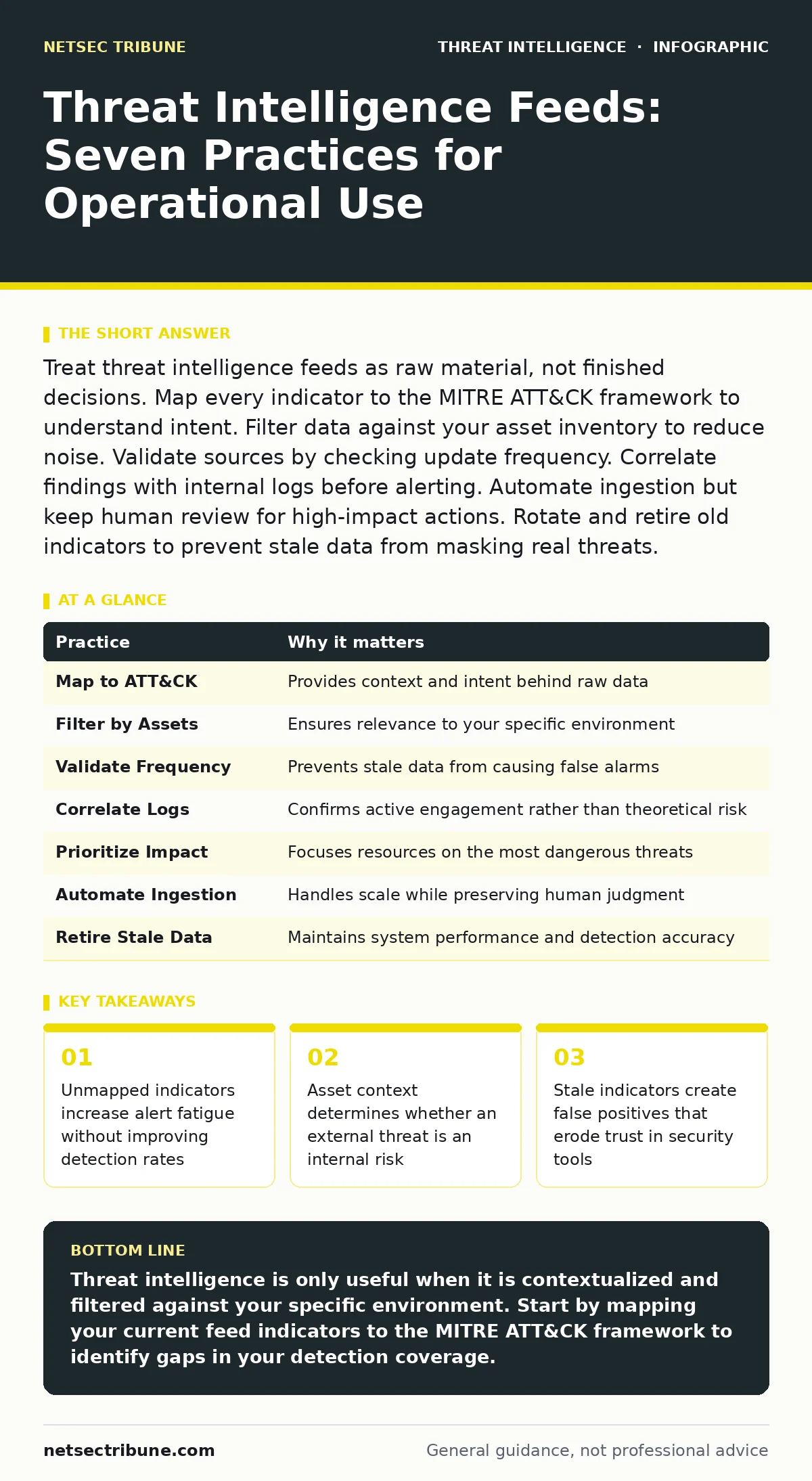
Treat threat intelligence feeds as raw material, not finished decisions. Map every indicator to the MITRE ATT&CK framework to understand intent. Filter data against your asset inventory to reduce noise. Validate sources by checking update frequency. Correlate findings with internal logs before alerting. Automate ingestion but keep human review for high-impact actions. Rotate and retire old indicators to prevent stale data from masking real threats.
1. Map Indicators to Attack Techniques
Raw indicators of compromise lack context. An IP address or domain name tells you nothing about the attacker’s goal. You must connect each indicator to a specific behavior in the MITRE ATT&CK framework. This mapping reveals whether the threat targets initial access, persistence, or exfiltration. Without this link, you are reacting to noise rather than stopping a campaign.
Tip: Require your ingestion pipeline to tag every new indicator with its corresponding ATT&CK technique ID before it enters your SIEM.
2. Filter Against Your Asset Inventory
Not every external threat applies to your environment. If a feed reports a vulnerability in a software version you do not use, that data is dead weight. It consumes storage and processing power. You must cross-reference external intelligence with your internal asset database. This step ensures you only investigate threats that can actually reach your systems.
Tip: Automate a daily job that removes any indicator from your watchlist if no internal asset matches the associated software or service version.
3. Validate Source Update Frequency
Threat intelligence decays rapidly. Malicious domains are often taken down or re-used within days. IP addresses change hands frequently. If a feed has not updated in weeks, its data is likely stale. Stale data causes false positives. False positives train your team to ignore alerts. You must verify how often each source publishes new data. A source that updates hourly is more reliable than one that updates monthly.
Tip: Configure your SIEM to flag any feed that has not provided new data within the last forty-eight hours for manual review.
4. Correlate with Internal Logs
An external indicator becomes actionable only when it intersects with your network. Seeing a malicious IP in a feed is theoretical. Seeing that same IP in your firewall logs is a confirmed event. You must correlate external intelligence with internal telemetry. This correlation proves the threat actor is already inside or attempting entry. It also helps you distinguish between background noise and active engagement.
Tip: Set up a correlation rule that triggers an alert only when a feed indicator matches a connection attempt from an internal host.
5. Prioritize by Impact, Not Volume
Most feeds prioritize volume over value. They dump thousands of indicators daily. You cannot investigate thousands of alerts. You must prioritize based on potential impact. A malware hash that targets a critical production server is more urgent than a phishing domain that targets a non-critical test environment. You need a scoring system that weighs the severity of the asset against the severity of the indicator.
Tip: Assign a risk score to each alert by multiplying the criticality of the affected asset by the severity of the detected technique.
See also: Hybrid Warfare in Cyberspace: Correcting 6 Common Intelligence Errors · Indicators of Compromise: 6 Common Misreadings That Fail in Detection
6. Automate Ingestion, Keep Human Review
Automation handles the scale of threat intelligence. It ingests, parses, and distributes data faster than any human team. However, automation lacks judgment. It cannot distinguish between a false positive and a nuanced attack. You must automate the ingestion process but keep human review for high-impact actions. Blocklisting a domain automatically can disrupt business operations if the domain is legitimate but compromised.
Tip: Use automation to flag and isolate suspicious traffic, but require a human analyst to approve permanent blocklists for production domains.
7. Retire Stale Indicators Proactively
Keeping old indicators in your system creates clutter. Your detection tools must search through more data, slowing down performance. Stale indicators also increase the chance of false positives. If an attacker reuses an old domain that you have not retired, your system may ignore it because it is already on your watchlist. You must have a process to remove indicators that are no longer relevant. This keeps your detection engine lean and accurate.
Tip: Implement a time-to-live setting for all indicators, automatically removing them after ninety days unless they are re-validated by a new event.
8. Understand the Cost of False Positives
Every false positive costs your team time. It also erodes trust in your security program. If analysts see too many false alarms, they stop looking closely. This is known as alert fatigue. Threat intelligence feeds are a major source of noise. You must measure the false positive rate of each feed. If a feed generates more noise than signal, you should reduce its weight or remove it entirely.
Tip: Track the number of false positives generated by each feed weekly and adjust your filtering rules to minimize unnecessary alerts.
| Practice | Why it matters |
|---|---|
| Map to ATT&CK | Provides context and intent behind raw data |
| Filter by Assets | Ensures relevance to your specific environment |
| Validate Frequency | Prevents stale data from causing false alarms |
| Correlate Logs | Confirms active engagement rather than theoretical risk |
| Prioritize Impact | Focuses resources on the most dangerous threats |
| Automate Ingestion | Handles scale while preserving human judgment |
| Retire Stale Data | Maintains system performance and detection accuracy |
| Measure False Positives | Protects analyst trust and operational efficiency |
9. Integrate with Passive Monitoring
Active scanning can alert attackers to your defenses. Passive monitoring uses existing data, such as DNS logs or packet capture analysis, to detect threats without sending probes. This approach is stealthier and less resource-intensive. You should integrate your threat intelligence feeds with passive monitoring tools. This allows you to detect domain generation algorithms or other subtle behaviors without interacting with the attacker.
Tip: Use DNS sinkholing to monitor queries for known malicious domains without blocking legitimate traffic initially.
Related guides on initial access brokers and LSASS credential theft provide deeper context on specific attack vectors that often appear in high-quality threat feeds. Understanding these mechanisms helps you interpret the intelligence you receive.
Key takeaways
- Unmapped indicators increase alert fatigue without improving detection rates
- Asset context determines whether an external threat is an internal risk
- Stale indicators create false positives that erode trust in security tools
Threat intelligence is only useful when it is contextualized and filtered against your specific environment. Start by mapping your current feed indicators to the MITRE ATT&CK framework to identify gaps in your detection coverage.
Frequently asked questions
How many threat intelligence feeds should I use?
Quality matters more than quantity. Start with two or three high-quality sources that cover different types of threats. Add more only if you have the staff to manage the increased volume.
Can I trust open-source threat feeds?
Open-source feeds are free but often lack validation. They may contain false positives or outdated data. Use them as a secondary source and always verify indicators against your own logs.
How do I handle conflicting intelligence?
If two sources disagree, prioritize the source with the higher historical accuracy for your environment. Investigate the indicator manually to determine the truth.
Should I block all indicators automatically?
No. Automatic blocking can disrupt business operations. Use automatic blocking only for high-confidence, high-severity threats. For everything else, use isolation or monitoring.
How this guide was produced: written by the NetSec Tribune editorial team with AI assistance, checked against the public references listed below, and reviewed when the facts change. See our editorial policy or report an error.