Prevent LSASS Credential Theft: Priority Hardening Steps
Restricting process access rights removes the majority of credential theft risk without requiring complex application changes or constant monitoring.
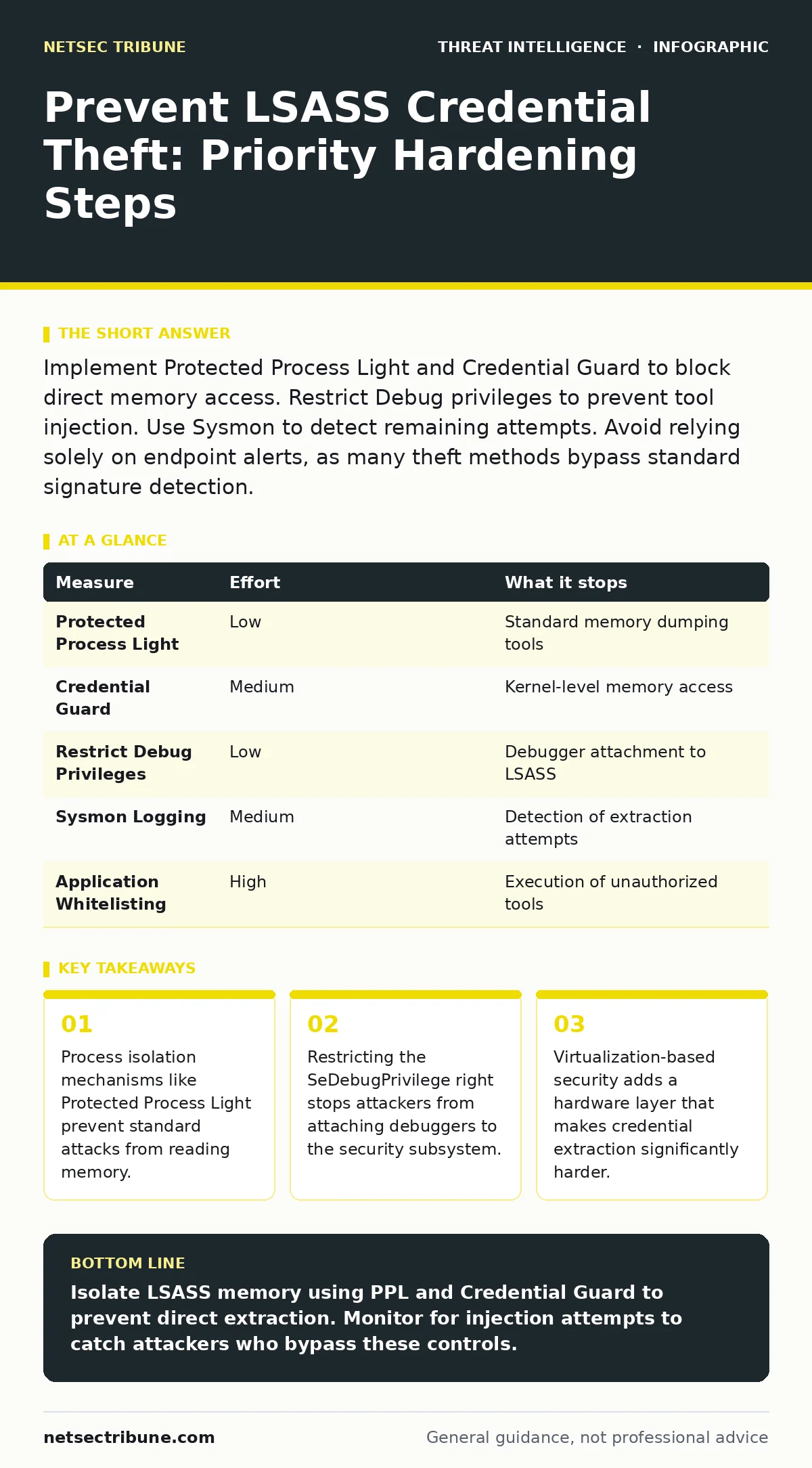
Implement Protected Process Light and Credential Guard to block direct memory access. Restrict Debug privileges to prevent tool injection. Use Sysmon to detect remaining attempts. Avoid relying solely on endpoint alerts, as many theft methods bypass standard signature detection.
The Mechanics of Memory Extraction
The Local Security Authority Subsystem Service, known as LSASS, manages authentication for Windows systems. When a user logs in, the system stores plaintext credentials or encrypted secrets in the memory space of this process. Attackers target this memory because it contains the keys needed to move laterally across the network. They do not need to guess passwords. They simply copy the data structure from the running process.
This technique relies on the attacker having sufficient privileges to read the memory of another process. By default, many administrative accounts hold the right to debug any process. This right allows an attacker to inject code into LSASS or read its contents directly. The goal is to extract these secrets before they expire or are rotated.
Blocking Direct Access with Isolation
The most effective defense is to make the LSASS process unreadable to other processes. Windows provides a feature called Protected Process Light, or PPL. When enabled, LSASS runs with a special signature and protection level. Standard processes, even those running with administrative rights, cannot attach to it or read its memory. This stops common tools that rely on standard Windows APIs for memory dumping.
You must ensure that Group Policy enforces PPL for the lsass.exe process. This is often enabled by default in newer versions of Windows, but legacy configurations or misconfigurations can disable it. Verify that the policy "Run LSASS as a protected process" is set to Enabled. This creates a boundary that most generic malware cannot cross.
Virtualization-Based Security Layers
For a stronger barrier, implement Credential Guard. This feature uses virtualization-based security to isolate sensitive authentication data. It moves the secrets out of the standard kernel memory and into a secure, isolated container. Even if an attacker gains kernel-level access, they cannot see the credentials because the hypervisor blocks the view.
This requires hardware support for virtualization and specific CPU features. Not all older systems support this configuration. However, for modern endpoints, it raises the bar significantly. An attacker would need to compromise the hypervisor itself, which is a much harder target than a user-mode process. This measure effectively neutralizes many advanced threats that rely on kernel exploits.
Restricting Debug Privileges
Even with isolation, attackers may try to escalate their privileges to bypass protections. The SeDebugPrivilege allows a process to debug any other process on the system. If an attacker obtains this right, they can attach a debugger to LSASS and read its memory, bypassing some protections.
You should restrict this privilege using Group Policy. Remove the right from standard administrators and service accounts. Only grant it to specific accounts that absolutely require debugging capabilities, and only when needed. This reduces the attack surface by ensuring that compromised accounts do not automatically have the power to inspect system processes.
Monitoring for Execution and Injection
No prevention is perfect. You must monitor for the tools and behaviors associated with credential theft. Sysmon, a system monitoring tool, logs process creation, network connections, and file creation. Configure it to alert on the execution of known credential dumping tools. Look for processes that inject code into lsass.exe or read its memory.
Analyze these logs for anomalies. A process that should not interact with LSASS doing so is a strong indicator of compromise. Correlate these alerts with other indicators of compromise to reduce noise. This approach helps you detect attacks that bypass prevention controls.
See also: Threat Actor Profiling: 6 Common Misreadings and Correct Views
The Limits of Network Detection
Network-based detection often fails to catch credential theft. The extraction happens locally within the endpoint memory. No network traffic is generated during the dump itself. By the time credentials are used for lateral movement, the attacker has already succeeded. Relying on packet capture analysis to detect the initial theft is ineffective. You must focus on endpoint visibility.
Measures That Do Not Work Alone
Many teams believe that disabling certain protocols prevents credential theft. This is a misconception. Disabling LAN Manager authentication or restricting NTLM only affects how credentials are transmitted or stored in specific contexts. It does not stop an attacker from reading plaintext passwords from LSASS memory. The secrets are already in memory regardless of the authentication protocol used.
Prioritizing Your Defense
The following table ranks measures by their effectiveness in removing risk. Focus on the top items first, as they provide the highest return on investment.
| Measure | Effort | What it stops |
|---|---|---|
| Protected Process Light | Low | Standard memory dumping tools |
| Credential Guard | Medium | Kernel-level memory access |
| Restrict Debug Privileges | Low | Debugger attachment to LSASS |
| Sysmon Logging | Medium | Detection of extraction attempts |
| Application Whitelisting | High | Execution of unauthorized tools |
Immediate Action Checklist
You can reduce your exposure to this threat immediately. Follow these steps to harden your environment against memory-based credential theft.
- Verify that Protected Process Light is enabled for lsass.exe via Group Policy.
- Restrict the SeDebugPrivilege right to only those accounts that strictly require it.
- Deploy Sysmon and configure alerts for process injection into lsass.exe.
Key takeaways
- Process isolation mechanisms like Protected Process Light prevent standard attacks from reading memory.
- Restricting the SeDebugPrivilege right stops attackers from attaching debuggers to the security subsystem.
- Virtualization-based security adds a hardware layer that makes credential extraction significantly harder.
Isolate LSASS memory using PPL and Credential Guard to prevent direct extraction. Monitor for injection attempts to catch attackers who bypass these controls.
Frequently asked questions
Does disabling WDigest prevent credential theft?
Disabling WDigest prevents plaintext passwords from being cached in LSASS for that specific provider. However, other providers may still cache secrets, and Kerberos tickets remain in memory. It reduces risk but does not eliminate it.
Can antivirus software stop LSASS dumping?
Traditional signature-based antivirus often misses these tools because they are frequently legitimate system utilities repurposed for malicious ends. Behavior-based detection is more effective but may still lag behind new techniques.
Is Credential Guard compatible with all applications?
Some older applications or those that rely on specific kernel behaviors may conflict with Credential Guard. Test compatibility in a non-production environment before wide deployment.
How do I detect if LSASS has been dumped?
Look for artifacts such as new files in temporary directories with memory dump extensions. Sysmon logs will show process creation events for known dumping tools or injection events into the LSASS process.
How this guide was produced: written by the NetSec Tribune editorial team with AI assistance, checked against the public references listed below, and reviewed when the facts change. See our editorial policy or report an error.