Tenant Isolation for Small Business: Practical Cloud Security Steps
Small organizations often pay for shared infrastructure without realizing that weak tenant separation exposes them to data leakage from unrelated customers.
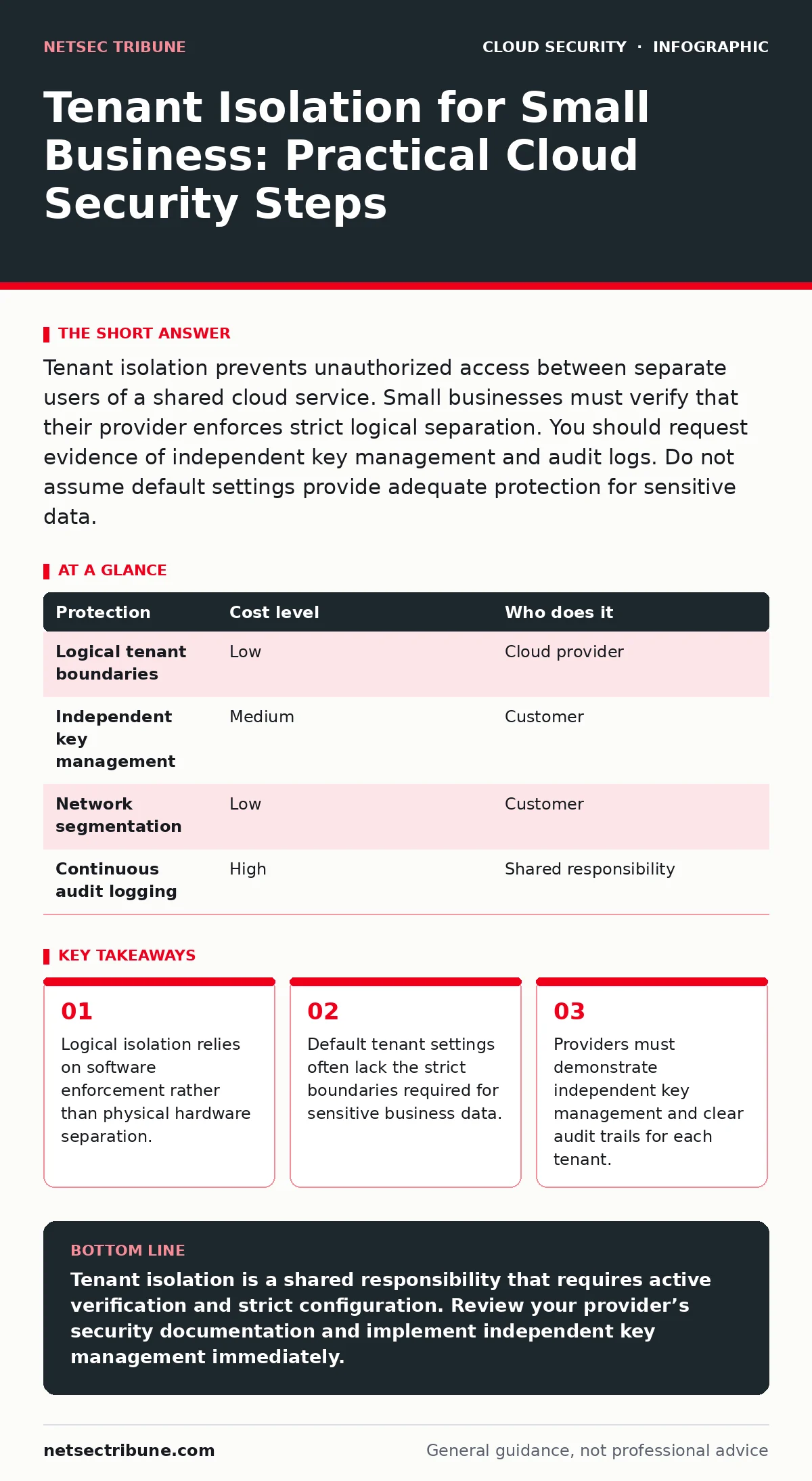
Tenant isolation prevents unauthorized access between separate users of a shared cloud service. Small businesses must verify that their provider enforces strict logical separation. You should request evidence of independent key management and audit logs. Do not assume default settings provide adequate protection for sensitive data.
The Illusion of Small Scale Safety
Small organizations frequently underestimate the risk of shared infrastructure. They believe that having few users reduces the attack surface. This assumption fails because tenant isolation depends on the provider’s architecture, not the customer’s size. Multi-tenancy allows many customers to share the same physical hardware and software resources. This reduces costs but introduces complexity. If the separation logic fails, data from one tenant can leak into another’s environment.
The risk is not always a direct attack on your company. It can be a side effect of a breach elsewhere. If a provider fails to isolate tenants properly, a compromise of one customer can expose others. This is known as a cross-tenant attack. Small businesses are attractive targets because they often have weaker internal controls. Attackers exploit this weakness to move laterally across the provider’s infrastructure.
How Logical Separation Works in Practice
Tenant isolation uses logical boundaries to keep data separate. These boundaries exist in software, not in physical walls. The cloud provider assigns unique identifiers to each tenant. These identifiers control access to resources like storage and compute power. The system checks these identifiers against every request. If the identifier does not match, the request is denied.
This mechanism relies on consistent enforcement across all layers. The application layer, the database layer, and the network layer must all respect the tenant boundary. A failure in any single layer breaks the isolation. For example, a database query that omits the tenant filter can return data from all tenants. This is a common error in poorly coded applications. It bypasses the intended security controls.
Physical isolation is rare and expensive. It requires dedicated hardware for each customer. Most small businesses cannot afford this option. They rely on logical isolation instead. This approach is cost-effective but requires trust in the provider’s implementation. You must verify that the provider uses proven methods. Open standards and public frameworks often define these methods.
The Hidden Cost of Shared Resources
Shared infrastructure creates a hidden dependency. Your security posture is tied to the provider’s operational discipline. If the provider neglects updates, your isolation weakens. If they misconfigure a shared network switch, your traffic may intermingle with others. You have limited control over these factors. You can only mitigate them through contract and verification.
Another hidden cost is the complexity of auditing. You cannot easily prove that isolation is working. You must rely on the provider’s reports and certifications. These documents may not reflect real-time conditions. A certificate proves compliance at a specific point in time. It does not guarantee ongoing security. You need continuous monitoring to detect anomalies. This adds operational overhead for small teams.
Consider the impact of a noisy neighbor. One tenant consuming excessive resources can degrade performance for others. This is a denial-of-service condition. It may not be malicious, but it affects availability. Your service level agreement should address this. It must define acceptable resource usage limits. Without these limits, your business operations can suffer due to others’ actions.
Configuring Isolation in Your Environment
You must configure your own systems to reinforce isolation. The provider’s default settings are rarely optimal for security. You should create separate service accounts for each tenant. These accounts should have the minimum permissions necessary. This follows the principle of least privilege. It limits the damage if an account is compromised.
Use encryption keys that you manage. Do not rely solely on the provider’s key management. If you hold the keys, the provider cannot access your data even if their systems are breached. This adds a layer of defense in depth. It ensures that only you can decrypt your sensitive information. You must have a secure process for storing and rotating these keys.
Network segmentation is another critical step. Place your resources in separate virtual networks. Restrict traffic between these networks using security groups or firewalls. Only allow necessary communication. This prevents lateral movement within your own environment. It also reduces the blast radius of any compromise. Review your network rules regularly. Remove unused rules to reduce complexity.
| Protection | Cost level | Who does it |
|---|---|---|
| Logical tenant boundaries | Low | Cloud provider |
| Independent key management | Medium | Customer |
| Network segmentation | Low | Customer |
| Continuous audit logging | High | Shared responsibility |
What to Ask Your IT Provider
You need to verify the provider’s claims. Ask about their isolation mechanisms. Request documentation on how they separate tenant data. Look for references to industry standards. If they cannot provide this information, consider other options. A reputable provider will have clear answers.
Ask about their incident response process. How do they detect cross-tenant breaches? What steps do they take to contain them? How quickly do they notify affected customers? These questions reveal their operational maturity. You want a provider that acts decisively during an incident. Delayed response increases the damage.
Inquire about their update procedures. How often do they patch their infrastructure? Do they test updates for compatibility and security? Unpatched systems are vulnerable to known exploits. A provider that delays updates puts all tenants at risk. You should expect regular security assessments. Ask if they share the results with customers.
- How do you enforce tenant isolation at the database level?
- Can you provide evidence of independent key management for each tenant?
- What is your process for detecting and responding to cross-tenant attacks?
- How do you handle resource contention between tenants?
- Do you perform regular third-party security audits?
See also: Cloud Penetration Testing: Seven Practices for Realistic Assessment · Cloud Incident Response for Small Teams: Low-Cost Setup
Integrating with Broader Security Practices
Tenant isolation does not exist in a vacuum. It must work with other security measures. For example, zero trust network access ensures that every request is authenticated. This complements tenant isolation by adding identity verification. It prevents unauthorized access even if isolation is bypassed.
Monitoring is essential for detecting isolation failures. You need visibility into access patterns. cloud logging and monitoring tools can help identify anomalies. Look for unusual data access or configuration changes. Set up alerts for these events. This allows you to respond quickly to potential breaches.
Regular testing validates your security posture. cloud penetration testing can reveal weaknesses in your configuration. It simulates real-world attacks to find vulnerabilities. You should conduct these tests periodically. They help you stay ahead of emerging threats. Combine testing with manual reviews of your settings.
Avoiding Common Configuration Errors
Misconfigurations are the leading cause of data breaches. Small teams often lack the expertise to avoid these errors. They may leave default settings unchanged. They may grant excessive permissions to service accounts. These mistakes weaken tenant isolation. You must review your configurations regularly.
Use automated tools to detect misconfigurations. These tools scan your environment for known issues. They compare your settings against best practices. CIS Benchmarks provide a reliable standard for these checks. They offer specific guidance for various cloud services. Following these benchmarks reduces the risk of error.
Document your configuration decisions. Explain why you chose specific settings. This documentation helps new team members understand your security posture. It also provides evidence during audits. Keep records of changes and their reasons. This creates a clear history of your security evolution.
The Role of Application Design
Your applications must respect tenant boundaries. Developers often forget to include tenant filters in queries. This leads to data leakage. You must enforce these checks in your code. Use libraries that automatically add tenant identifiers. This reduces the chance of human error.
Test your applications for isolation flaws. Simulate requests from different tenants. Verify that they cannot access each other’s data. Include this testing in your development pipeline. Automate these checks to ensure consistency. This prevents regressions in your security controls.
Train your development team on secure coding practices. They must understand the importance of tenant isolation. Provide them with clear guidelines and examples. Encourage them to ask questions. A security-aware development culture reduces risks significantly.
Key takeaways
- Logical isolation relies on software enforcement rather than physical hardware separation.
- Default tenant settings often lack the strict boundaries required for sensitive business data.
- Providers must demonstrate independent key management and clear audit trails for each tenant.
Tenant isolation is a shared responsibility that requires active verification and strict configuration. Review your provider’s security documentation and implement independent key management immediately.
Frequently asked questions
Does tenant isolation protect against insider threats?
Tenant isolation primarily protects against cross-tenant attacks. It does not prevent employees within your own tenant from accessing data. You must use internal access controls and monitoring to mitigate insider risks.
How often should I review my tenant isolation settings?
You should review your settings quarterly or after any major configuration change. Regular reviews ensure that your controls remain effective. They also help identify new vulnerabilities or misconfigurations.
Can I use multiple cloud providers to improve isolation?
Using multiple providers can reduce the risk of a single point of failure. However, it increases complexity and management overhead. You must ensure that each provider meets your security standards.
What is the difference between logical and physical isolation?
Logical isolation uses software to separate tenants on shared hardware. Physical isolation uses dedicated hardware for each tenant. Logical isolation is more common and cost-effective but relies on software integrity.
How this guide was produced: written by the NetSec Tribune editorial team with AI assistance, checked against the public references listed below, and reviewed when the facts change. See our editorial policy or report an error.