
Unauthorized Access Myths: What Detection Actually Misses
Attackers rarely bypass authentication; they usually operate with legitimate credentials that your standard monitoring tools are configured to ignore.
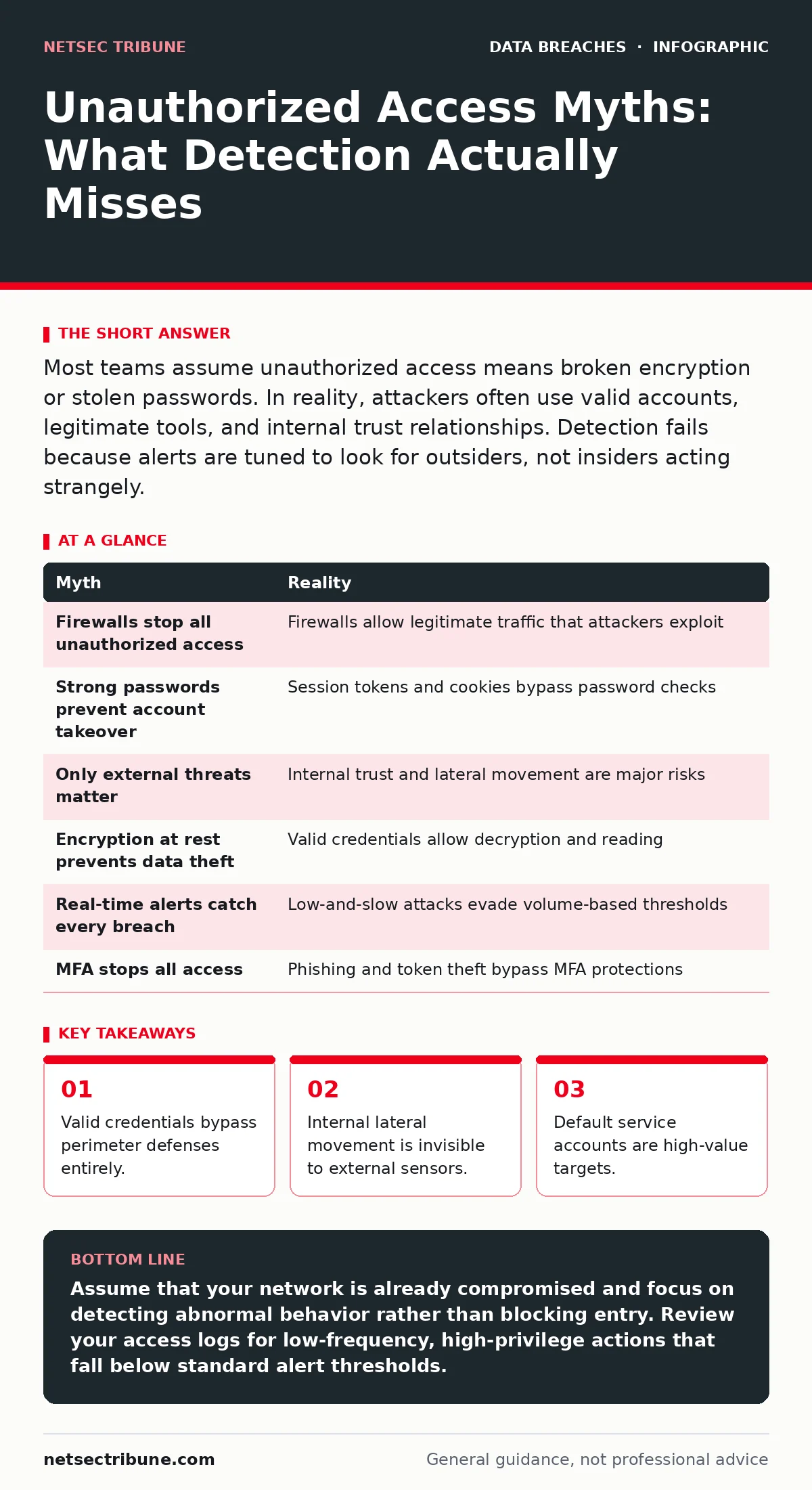
Most teams assume unauthorized access means broken encryption or stolen passwords. In reality, attackers often use valid accounts, legitimate tools, and internal trust relationships. Detection fails because alerts are tuned to look for outsiders, not insiders acting strangely.
Myth: The Attacker Bypassed the Firewall
Reality: The firewall did its job. The connection was allowed.
Perimeter defenses are designed to filter traffic based on source and destination addresses. They do not inspect the intent of the user behind the keyboard. When you see an unauthorized file transfer, the network logs will often show a permitted session. The attacker used a protocol that is allowed for business operations.
This creates a blind spot in your monitoring. You assume that if the packet passed the firewall, it is legitimate. This assumption fails when an attacker exploits a legitimate service. They do not need to tunnel out. They use the same channels your employees use for work.
Imagine a scenario where a database query returns sensitive records. The firewall sees standard SQL traffic. It allows it. The compromise happens at the application layer, not the network edge. Your security operations team looks for blocked attempts. They miss the allowed ones.
Myth: Strong Passwords Prevent Account Takeover
Reality: Passwords are often irrelevant once an attacker is inside.
Complex passwords protect against brute force attacks from outside. They do not protect against session hijacking or token theft. If an attacker obtains a valid session cookie or an OAuth token, the password is never required. The system accepts the session as valid until it expires.
This is why credential dumps are so damaging. They often contain more than just password hashes. They may include session tokens and API keys. These artifacts grant immediate access without triggering password-based alerts.
You might enforce long, complex passwords. This adds friction for users. It does not stop an attacker who has already authenticated. The threat shifts from guessing the secret to stealing the proof of identity.
Myth: Only External Threats Pose a Risk
Reality: Internal trust is the primary attack vector.
Organizations spend most resources on defending the outside perimeter. They assume that once inside, the environment is safe. This is false. Internal users and services have high privileges by design. An attacker who compromises one endpoint can move laterally to others.
Lateral movement relies on existing trust relationships. A compromised workstation can access file shares. A compromised service account can query databases. These actions look like normal operations. There is no external IP address to block.
The concept of least privilege is often ignored for convenience. Users keep access to systems they no longer use. This creates a wide attack surface inside the network. The attacker does not need to break in. They just need to walk through the open door.
Myth: Encryption at Rest Stops Data Theft
Reality: Encryption protects data from physical theft, not logical access.
When data is encrypted at rest, it is unreadable without the key. This protects against someone stealing a hard drive. It does not protect against an attacker who logs in and reads the data. The system decrypts the data for the authorized user.
If the attacker has valid credentials, the decryption is transparent. They see the plain text. The encryption layer is bypassed by the application logic. This is a common misunderstanding in data protection strategies.
You might encrypt databases and file servers. This is good for compliance. It does not stop an insider threat or a compromised admin account. The data is available to anyone the system considers legitimate.
Myth: Real-Time Alerts Catch Every Breach
Reality: Alert fatigue causes teams to miss real threats.
Security tools generate thousands of events daily. Most are benign. Teams tune out noise to focus on true positives. This tuning process often filters out subtle indicators of compromise. An attacker can move slowly to avoid detection thresholds.
They perform one action per day. Each action is below the alert threshold. Over time, they exfiltrate significant data. The system never raises an alarm because no single event is suspicious. This is known as low-and-slow attacks.
Your detection rules likely focus on volume and speed. High volume triggers alerts. Low volume does not. Attackers adapt to these thresholds. They pace their activities to stay invisible.
See also: Pass-the-Hash Attacks: Risks and Protection for Small Businesses · Computer Worms: How Self-Replicating Code Bypasses Small Business Defenses
Myth: Multi-Factor Authentication Stops All Access
Reality: MFA can be bypassed or avoided.
Multi-factor authentication adds a layer of security. It requires something you know and something you have. This stops many credential-based attacks. It does not stop all of them.
Attackers can steal the second factor. They can intercept SMS codes or push notifications. They can use phishing kits that relay the MFA challenge in real time. This is called man-in-the-middle phishing. The user authenticates, thinking they are logging in. The attacker captures the session.
MFA also fails when attackers use valid tokens. If they have a valid session, they do not need to authenticate again. MFA is a barrier at the gate. It is not a lock on every door inside.
Summary Table
| Myth | Reality |
|---|---|
| Firewalls stop all unauthorized access | Firewalls allow legitimate traffic that attackers exploit |
| Strong passwords prevent account takeover | Session tokens and cookies bypass password checks |
| Only external threats matter | Internal trust and lateral movement are major risks |
| Encryption at rest prevents data theft | Valid credentials allow decryption and reading |
| Real-time alerts catch every breach | Low-and-slow attacks evade volume-based thresholds |
| MFA stops all access | Phishing and token theft bypass MFA protections |
Key takeaways
- Valid credentials bypass perimeter defenses entirely.
- Internal lateral movement is invisible to external sensors.
- Default service accounts are high-value targets.
- Context matters more than raw event volume.
Assume that your network is already compromised and focus on detecting abnormal behavior rather than blocking entry. Review your access logs for low-frequency, high-privilege actions that fall below standard alert thresholds.
Frequently asked questions
How do I detect lateral movement without alert fatigue?
Focus on behavioral analytics that establish baselines for normal user activity. Look for deviations in login times, accessed resources, and data volumes.
What is the first step after detecting unauthorized access?
Isolate the affected system to prevent lateral movement. Preserve logs for forensic analysis. Follow your incident communication plans to coordinate response.
How this guide was produced: written by the NetSec Tribune editorial team with AI assistance, checked against the public references listed below, and reviewed when the facts change. See our editorial policy or report an error.