
Exposed .git Directories: Risks, Detection, and Remediation
Publicly accessible .git directories allow attackers to reconstruct your entire source code history, bypassing standard access controls and revealing sensitive credentials.
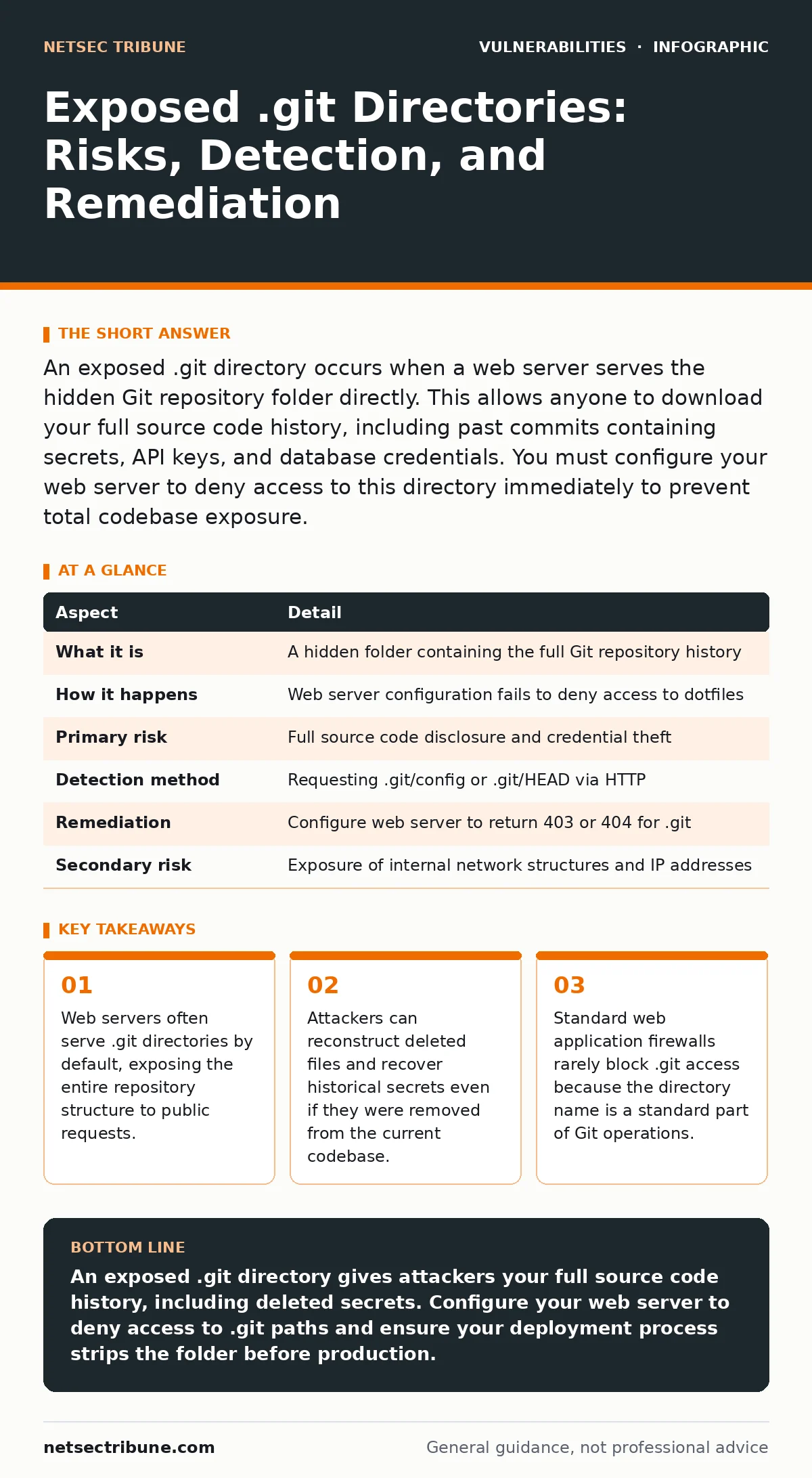
An exposed .git directory occurs when a web server serves the hidden Git repository folder directly. This allows anyone to download your full source code history, including past commits containing secrets, API keys, and database credentials. You must configure your web server to deny access to this directory immediately to prevent total codebase exposure.
The Hidden Door in Your Web Server
Imagine leaving your office door unlocked but keeping the lights off. Most visitors assume the office is empty and move on. A determined intruder knows the lights are off because they saw the switch. They enter anyway. An exposed .git directory works the same way. It is a hidden folder in your web root that contains the entire history of your project. When a web server is misconfigured, it treats this folder like any other public asset. It serves the contents to anyone who asks. You do not need authentication to view it. You do not need a valid session. You simply need to know the URL.
The .git directory is created automatically when you initialize a Git repository. It stores objects, refs, and configuration data. It is meant to be local. It is not meant to be served over HTTP. When it is served, you are handing over the keys to your intellectual property. You are also handing over the history of your mistakes.
| Aspect | Detail |
|---|---|
| What it is | A hidden folder containing the full Git repository history |
| How it happens | Web server configuration fails to deny access to dotfiles |
| Primary risk | Full source code disclosure and credential theft |
| Detection method | Requesting .git/config or .git/HEAD via HTTP |
| Remediation | Configure web server to return 403 or 404 for .git |
| Secondary risk | Exposure of internal network structures and IP addresses |
How the Exposure Occurs
The exposure happens at the infrastructure layer, not the application layer. Your code might be secure. Your authentication logic might be flawless. But if your web server allows directory listing or serves static files from the root, it will serve the .git folder. Apache and Nginx are the most common culprits. Both have default configurations that can inadvertently expose hidden files if not explicitly restricted.
Developers often clone their repositories directly into the web root for convenience. This is a common shortcut during local development. When that code is pushed to production without proper cleanup or server hardening, the .git folder travels with it. The server does not distinguish between a CSS file and a Git object. It serves both. The result is a publicly accessible archive of your entire project.
What Attackers Gain
Access to the .git directory is not just access to your current code. It is access to every version of your code ever committed. This distinction matters. You might have removed a password from your latest commit. You might have deleted a debug script. But Git keeps a copy of every change. Attackers use tools like git-dumper to clone the remote repository. They then reconstruct the history. They find secrets that you thought were gone.
They also find architectural details. They see internal IP addresses in configuration files. They see database connection strings. They see API keys for third-party services. They see the logic of your authentication system. This information allows them to craft targeted attacks. They do not need to guess. They have the blueprint.
Common Forms of Misconfiguration
There are three common ways this exposure happens. First, directory listing is enabled. When a user requests a directory index, the server shows all files, including hidden ones. Second, the server is configured to serve static files from a location that includes the .git folder. Third, a reverse proxy or CDN is misconfigured to cache or serve the contents of the .git path.
Some frameworks create a .git folder in unexpected places. If your application uses a symlink to a Git repository, the symlink might be followed by the web server. If your deployment script leaves the .git folder in the release directory, it is exposed. The form varies, but the result is the same. The hidden folder becomes a public endpoint.
What People Usually Get Wrong
Many teams believe that removing the .git folder from production is enough. This is a partial fix. If the deployment process is not automated to strip the folder, a human error can bring it back. A better approach is to configure the web server to deny access to any path starting with .git. This is a compensating control. It protects you even if the folder is present.
Another misconception is that only large repositories are at risk. Small repositories are just as dangerous. A single commit with a secret is enough. The size of the codebase does not determine the value of the secrets. The presence of the secrets does. You must assume every commit contains sensitive data until proven otherwise.
See also: Asset Inventory for Patching: Definition, Purpose, and Execution
Reducing the Risk
You need 3 steps to secure your server. First, configure your web server to deny access to .git directories. In Nginx, use a location block that returns 403. In Apache, use a Directory directive that denies access. Second, ensure your deployment pipeline removes the .git folder before copying files to the production server. Use a build artifact that contains only the necessary files. Third, monitor for access attempts to .git paths. Log these requests and alert your team.
This approach addresses both the symptom and the cause. The server configuration prevents access even if the folder exists. The deployment pipeline prevents the folder from existing in the first place. The monitoring detects any breaches of the policy. Together, they form a defense in depth.
Beyond the Git Directory
An exposed .git directory is often a sign of broader infrastructure issues. If your server is misconfigured to serve hidden files, it might also serve other sensitive data. It might expose exposed admin panels or configuration files. It might allow directory traversal. You should review your server configuration holistically.
Consider your vulnerability management programs. Regular scans should detect exposed .git directories. If they do not, your scanners are not configured correctly. You should also review your patch prioritization. Server misconfigurations are often fixed by updating configuration files, not software. Ensure your teams treat configuration errors with the same urgency as software bugs.
Key takeaways
- Web servers often serve .git directories by default, exposing the entire repository structure to public requests.
- Attackers can reconstruct deleted files and recover historical secrets even if they were removed from the current codebase.
- Standard web application firewalls rarely block .git access because the directory name is a standard part of Git operations.
- Automated scanning tools frequently detect these exposures by requesting the .git/config file or the HEAD file.
An exposed .git directory gives attackers your full source code history, including deleted secrets. Configure your web server to deny access to .git paths and ensure your deployment process strips the folder before production.
Frequently asked questions
Can I hide the .git directory by renaming it?
No. Renaming the directory breaks Git functionality. The directory must be named .git for Git to work. Hiding it via server configuration is the correct approach.
Does HTTPS prevent .git directory exposure?
No. HTTPS encrypts the connection but does not restrict access. If the server allows access to .git, HTTPS just lets the attacker download it securely.
How do I know if my .git directory is exposed?
Try accessing yourdomain.com/.git/config in a browser. If you see JSON or text output, it is exposed. If you see a 403 or 404 error, it is likely protected.
Should I delete the .git folder from my production server?
Yes. Production servers should only contain the necessary application files. The .git folder is not needed for the application to run. Removing it reduces risk.
How this guide was produced: written by the NetSec Tribune editorial team with AI assistance, checked against the public references listed below, and reviewed when the facts change. See our editorial policy or report an error.