Chrome Zero-Day Myths: What Security Teams Actually Face
Browser zero-days rarely require direct user interaction; automated exploit chains and internal network traversal make passive exposure the primary risk vector for modern web clients.
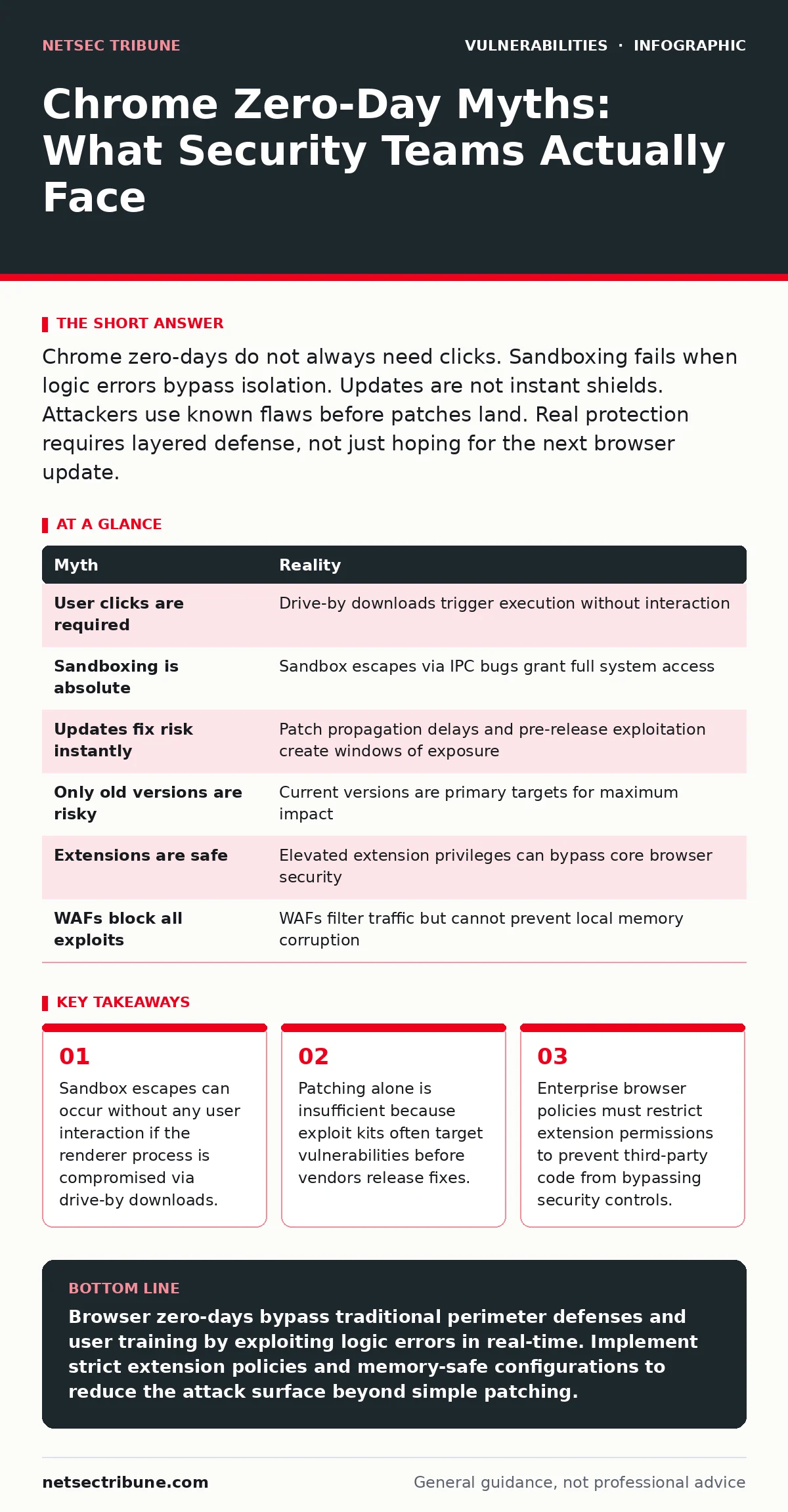
Chrome zero-days do not always need clicks. Sandboxing fails when logic errors bypass isolation. Updates are not instant shields. Attackers use known flaws before patches land. Real protection requires layered defense, not just hoping for the next browser update.
Myth: Chrome zero-days always require user interaction
Reality: Direct clicks are not a prerequisite for exploitation. Modern exploit kits leverage drive-by download techniques that trigger code execution simply by loading a compromised webpage. The browser renderer process handles complex JavaScript and media parsing. If a logic error exists in these parsers, the browser executes malicious instructions before the user notices the page. This passive vector removes the human element from the attack chain.
Attackers rely on the inevitability of users visiting legitimate sites that have been defaced or compromised. The security boundary shifts from user behavior to infrastructure integrity. Organizations must assume that any visited site could potentially trigger a zero-day execution. This changes the risk model from behavioral training to technical containment. The assumption that "not clicking" provides safety is dangerously incorrect.
Imagine a user visiting a news site that has been subtly altered by an attacker. The malicious code resides in the ad network serving the page. The browser processes the script automatically. No download prompt appears. No dialog box requests permission. The exploit runs in the background. This scenario highlights why endpoint detection must monitor process behavior, not just user actions. The threat exists in the data stream, not the mouse click.
Myth: The Chrome sandbox provides absolute isolation
Reality: Sandboxing is a containment strategy, not an impenetrable wall. The Chrome sandbox restricts what a compromised renderer process can access. It limits file system writes and network access. However, sandbox escapes are common in zero-day scenarios. These escapes exploit vulnerabilities in the browser’s IPC (Inter-Process Communication) mechanisms. When a bug allows data to leak from the sandbox to the privileged broker process, isolation fails.
The attacker gains full system privileges. This often happens through race conditions or integer overflows in shared memory regions. The sandbox buys time for detection, but it does not guarantee prevention. Security teams must plan for sandbox bypasses as a standard outcome. Relying solely on sandboxing leaves the system vulnerable to privilege escalation. The defense depth must include application-level controls and memory safety features.
Myth: Automatic updates eliminate zero-day risk immediately
Reality: Update propagation takes time and faces operational friction. Chrome pushes updates to stable channels within days of a patch release. However, enterprise environments often delay installations for compatibility testing. This delay window leaves systems exposed. Furthermore, exploit kits distribute widely before patches are publicly available. Attackers harvest vulnerabilities through private bug bounty programs or independent research. They weaponize these flaws before the vendor acknowledges them.
The "zero" in zero-day refers to the time before a patch exists, not the time before exploitation. Automatic updates protect against known flaws, not newly discovered ones. The gap between discovery and patching is the danger zone. During this period, no update can help. Organizations must use compensating controls during this window. Network segmentation and strict egress filtering limit the damage. Patch prioritization strategies should focus on critical internet-facing assets first.
Myth: Zero-days only affect outdated browser versions
Reality: Current versions are frequent targets for zero-day attacks. Attackers seek maximum impact by targeting the largest user base. The latest Chrome version has millions of active users. Exploiting a flaw in the current release yields higher rewards than targeting legacy software. Zero-days are, by definition, unknown to the vendor. Therefore, no version is immune until a patch is deployed. Outdated browsers suffer from known vulnerabilities, which are easier to exploit.
Zero-days require sophisticated code and offer less stability for attackers. They are reserved for high-value targets or large-scale campaigns. Assuming only old software is at risk leads to complacency in current deployments. Security teams must treat the latest version as vulnerable until proven otherwise. This mindset drives rigorous testing and monitoring of current releases. It prevents the false sense of security provided by version numbers.
Myth: Extensions cannot be exploited by zero-days
Reality: Browser extensions have elevated privileges that can bypass core security controls. Extensions can access tabs, cookies, and local storage. A zero-day in an extension’s native module or JavaScript engine can compromise the browser. Attackers often target popular extensions to reach specific user demographics. The extension’s manifest permissions define its attack surface. Broad permissions increase the potential damage. Users rarely audit extension code.
Malicious updates to legitimate extensions can introduce backdoors. This vector bypasses sandbox restrictions because the extension runs with higher trust. Security teams must enforce strict extension policies. Only allow approved extensions from verified sources. Regularly review extension permissions and usage. Disable unused extensions to reduce the attack surface. The extension store is not a safe harbor. Code review and behavioral monitoring are necessary defenses.
See also: Asset Inventory for Patching: Definition, Purpose, and Execution
Myth: Web application firewalls stop all browser exploits
Reality: Web application firewalls filter network traffic, not local execution. They inspect HTTP requests for known malicious patterns. They cannot prevent code execution within the browser’s memory space. A zero-day exploit may use obfuscated payloads that bypass signature-based detection. The WAF sees valid HTML and JavaScript. It forwards the content to the client. The browser processes the content and triggers the vulnerability.
The exploit happens after the network inspection. WAFs are useful for blocking known attack signatures and SQL injection attempts. They do not protect against logic errors in the browser engine. Relying on a WAF for zero-day protection creates a blind spot. Defense must occur at the endpoint and application layer. Memory-safe programming and strict input validation are more effective. The WAF is one layer in a deep defense strategy, not the final barrier.
| Myth | Reality |
|---|---|
| User clicks are required | Drive-by downloads trigger execution without interaction |
| Sandboxing is absolute | Sandbox escapes via IPC bugs grant full system access |
| Updates fix risk instantly | Patch propagation delays and pre-release exploitation create windows of exposure |
| Only old versions are risky | Current versions are primary targets for maximum impact |
| Extensions are safe | Elevated extension privileges can bypass core browser security |
| WAFs block all exploits | WAFs filter traffic but cannot prevent local memory corruption |
Key takeaways
- Sandbox escapes can occur without any user interaction if the renderer process is compromised via drive-by downloads.
- Patching alone is insufficient because exploit kits often target vulnerabilities before vendors release fixes.
- Enterprise browser policies must restrict extension permissions to prevent third-party code from bypassing security controls.
Browser zero-days bypass traditional perimeter defenses and user training by exploiting logic errors in real-time. Implement strict extension policies and memory-safe configurations to reduce the attack surface beyond simple patching.
Frequently asked questions
How long do zero-day vulnerabilities remain unpatched?
There is no fixed duration. Some are patched within days of disclosure, while others remain open for months if the exploit is kept private or the fix is complex.
Can antivirus software detect zero-day exploits?
Traditional signature-based antivirus often fails against zero-days. Behavior-based detection and endpoint detection and response tools are more likely to identify suspicious activity.
Do private browsing modes protect against zero-days?
No. Private modes isolate session data like cookies but do not prevent the execution of malicious code within the browser engine. The underlying vulnerability remains active.
How do exposure management programs help with browser risks?
Exposure management identifies how browsers are configured and what external assets they access. This visibility allows teams to prioritize patching and restrict unnecessary network exposure.
How this guide was produced: written by the NetSec Tribune editorial team with AI assistance, checked against the public references listed below, and reviewed when the facts change. See our editorial policy or report an error.