Recovering from Malicious PyPI Packages: Response Steps
Malicious packages often hide in transitive dependencies, meaning your direct code is clean while the supply chain delivers the compromise.
Isolate affected systems immediately. Do not disconnect them from the network, as this may trigger anti-analysis mechanisms. Pin your dependencies to known-good versions, rebuild your environment, and rotate all secrets. Review your deployment pipeline to prevent recurrence.
First Hour: Stabilize and Preserve Evidence
When you detect a malicious PyPI package—software hosted on the Python Package Index that contains hidden harmful code—your immediate goal is stabilization. Panic often leads to destructive actions that erase evidence. You must act quickly but deliberately. The first hour determines whether you can recover your data or must restore from backups.
- Identify the exact scope of the infection. Check which servers or workstations installed the package.
- Isolate affected systems. Restrict outbound traffic to prevent data exfiltration.
- Preserve memory dumps. If possible, capture the volatile memory of affected machines before any changes occur.
- Halt deployment pipelines. Stop any continuous integration or continuous deployment processes that might push the malicious package to other environments.
Do not attempt to manually edit the malicious file on the infected system. The attacker may have installed trojanized software that modifies system binaries or creates backdoors independent of the Python package. Modifying files can alter timestamps and hashes, complicating forensic analysis. Instead, focus on containment.
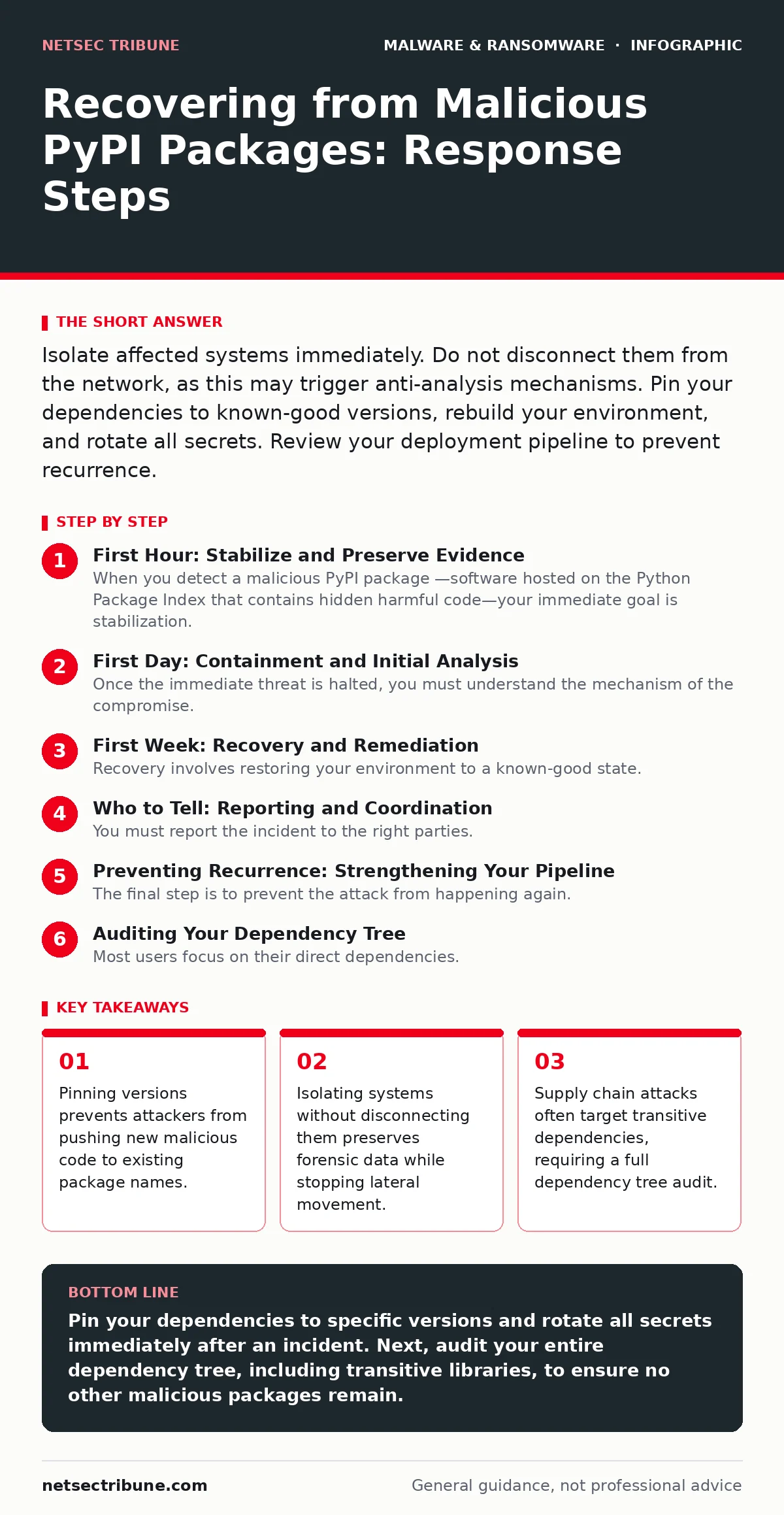
First Day: Containment and Initial Analysis
Once the immediate threat is halted, you must understand the mechanism of the compromise. Malicious packages rarely act alone. They often serve as a dropper for more persistent threats. You need to determine what the package did after installation. This requires analyzing the package source code and comparing it to the installed files on your system.
Download the source distribution of the malicious package from PyPI. Compare the installed files on your affected systems to the original source. Look for discrepancies. Attackers often obfuscate code to hide their intent. They may use string encryption or packers to evade simple text searches.
Check for network connections. Malicious packages often call home to a command-and-control server. Review your firewall logs and proxy records for unusual outbound traffic from the time of installation. Look for connections to newly registered domains or IP addresses in unexpected geographic locations. This helps you understand the attacker's infrastructure and potentially block related threats.
Consider the possibility of sandbox evasion. If you initially tested the package in an isolated environment, the attacker may have designed it to behave differently in a production setting. It might check for specific system characteristics, such as the presence of certain libraries or network configurations, before executing its payload. If your sandbox did not mimic production closely, it may have missed the malicious behavior.
First Week: Recovery and Remediation
Recovery involves restoring your environment to a known-good state. You cannot simply delete the malicious package and resume operations. The attacker may have established persistence mechanisms that survive package removal. You must rebuild your environment from scratch or perform a thorough manual cleanup.
Start by rotating all secrets. Assume that any API key, password, or token present in the environment is compromised. This includes database credentials, cloud provider keys, and SSH keys. Do not reuse old credentials. Generate new ones and update your configuration management tools.
Rebuild your application environment. Use a fresh virtual machine or container image. Install only the necessary dependencies. Pin every dependency to a specific version in your requirements file. This practice, known as dependency pinning, ensures that you install the exact version you tested, rather than the latest version available, which might be malicious.
Verify the integrity of your backups. If you are restoring from backup, ensure the backup itself was not taken after the infection occurred. Restoring from an infected backup simply reintroduces the threat. If you suspect your backups are compromised, you may need to restore from an offline or immutable backup. See our guide on ransomware backups for best practices on maintaining clean recovery points.
Who to Tell: Reporting and Coordination
You must report the incident to the right parties. Failure to do so can lead to legal issues and further compromise. Start by notifying your internal security team and management. They need to understand the business impact and allocate resources for recovery.
Report the malicious package to the PyPI maintainers. They can remove the package from the index and prevent further installations. Provide them with evidence of the malicious behavior, such as the source code and network logs. This helps them take action against the attacker and warn other users.
Consider reporting to your local law enforcement or cybercrime units. While they may not be able to prosecute the attacker, they can track patterns and share intelligence with other agencies. This is particularly important if the attack involves sensitive data or intellectual property.
If you are part of a larger organization or consortium, notify your peers. They may be using the same package and could be at risk. Sharing information helps the broader community defend against common threats. This is especially relevant if the attack involves computer worms that spread across networks.
Preventing Recurrence: Strengthening Your Pipeline
The final step is to prevent the attack from happening again. You must strengthen your software supply chain. This involves both technical controls and process changes. Start by implementing strict dependency management. Use a private package index or a proxy that caches and verifies packages before they reach your build environment.
Implement code signing. Require that all packages installed in your environment are signed by a trusted key. This ensures that the package has not been tampered with since it was published. You can use tools that verify signatures automatically during the build process.
Monitor for new vulnerabilities. Set up alerts for security advisories related to your dependencies. Subscribe to security mailing lists and follow trusted security researchers. This helps you stay informed about emerging threats and respond quickly.
Consider using tamper protection on your build servers. This prevents attackers from modifying the build environment or injecting malicious code during the compilation process. Ensure that your build agents are isolated and have limited network access.
See also: Difference Between Cloud Logging and Monitoring: Operational Reality · Decoding Ransom Notes: Evidence Handling and Negotiation Realities
Auditing Your Dependency Tree
Most users focus on their direct dependencies. They rarely look at the transitive dependencies—the libraries that your libraries depend on. Attackers often target these lower-level packages because they are less scrutinized. A single malicious transitive dependency can compromise hundreds of applications.
Use a tool to generate a full dependency tree. Identify every package that is installed, even if it is not directly referenced in your code. Review each package for signs of compromise. Look for packages with low download counts, recent creation dates, or names similar to popular packages.
Check for duplicate packages. Attackers may register a package with a name similar to a popular one, differing only by a hyphen or underscore. If you see multiple versions of a library with slightly different names, investigate further. This is a common tactic to trick users into installing the wrong package.
Integrating Security into Development
Security is not just an operational concern. It must be integrated into the development lifecycle. Encourage your developers to review pull requests for new dependencies. Require justification for adding new libraries. This reduces the attack surface and makes it easier to track changes.
Implement automated security scans in your CI/CD pipeline. These scans can check for known vulnerabilities in your dependencies and flag suspicious packages. Integrate these scans into your build process so that they run automatically with every change.
Train your developers on secure coding practices. Teach them how to identify suspicious packages and how to use security tools. Awareness is your first line of defense. When developers understand the risks, they are more likely to follow security protocols.
Consider using sandboxing for untrusted code. If you need to run code from external sources, do so in an isolated environment with limited privileges. This limits the damage if the code is malicious.
Key takeaways
- Pinning versions prevents attackers from pushing new malicious code to existing package names.
- Isolating systems without disconnecting them preserves forensic data while stopping lateral movement.
- Supply chain attacks often target transitive dependencies, requiring a full dependency tree audit.
Pin your dependencies to specific versions and rotate all secrets immediately after an incident. Next, audit your entire dependency tree, including transitive libraries, to ensure no other malicious packages remain.
Frequently asked questions
How do I know if a PyPI package is malicious?
Look for packages with low download counts, recent creation dates, or names similar to popular libraries. Review the source code for obfuscation or network calls to unknown domains.
Should I disconnect my server from the network?
No. Disconnecting may trigger anti-analysis mechanisms that wipe evidence or encrypt data. Isolate the system by restricting outbound traffic instead.
Can I just delete the malicious package?
No. The package may have installed persistence mechanisms or backdoors. You must rebuild your environment and rotate all secrets to ensure complete removal.
How often should I update my dependencies?
Regularly, but carefully. Update to the latest stable versions, but verify the integrity of the package before installation. Pin versions to prevent unexpected changes.
How this guide was produced: written by the NetSec Tribune editorial team with AI assistance, checked against the public references listed below, and reviewed when the facts change. See our editorial policy or report an error.