Passkeys: 6 Common Misunderstandings That Leave Accounts Exposed
Passkeys shift trust from memorized strings to device-bound cryptographic keys, creating new failure modes that traditional password advice ignores.
Passkeys are not magic bullets. They rely on secure hardware, biometric or PIN verification, and proper backup strategies. Misusing them as simple replacements for passwords without understanding device loss scenarios, cross-platform sync limits, and phishing-resistant mechanics leaves accounts vulnerable. Correct implementation requires treating the device as the credential store.
Misreading: Passkeys Are Just Better Passwords
Correct reading: Passkeys operate on a fundamentally different cryptographic model than passwords. A password is a shared secret known to both the user and the server. If the server is compromised, the secret is exposed. A passkey uses public-key cryptography. The server stores only the public key, which cannot be used to derive the private key. The private key remains on your device. This architecture eliminates the risk of server-side credential leaks. You do not type a secret; you prove possession of a key stored in secure hardware.
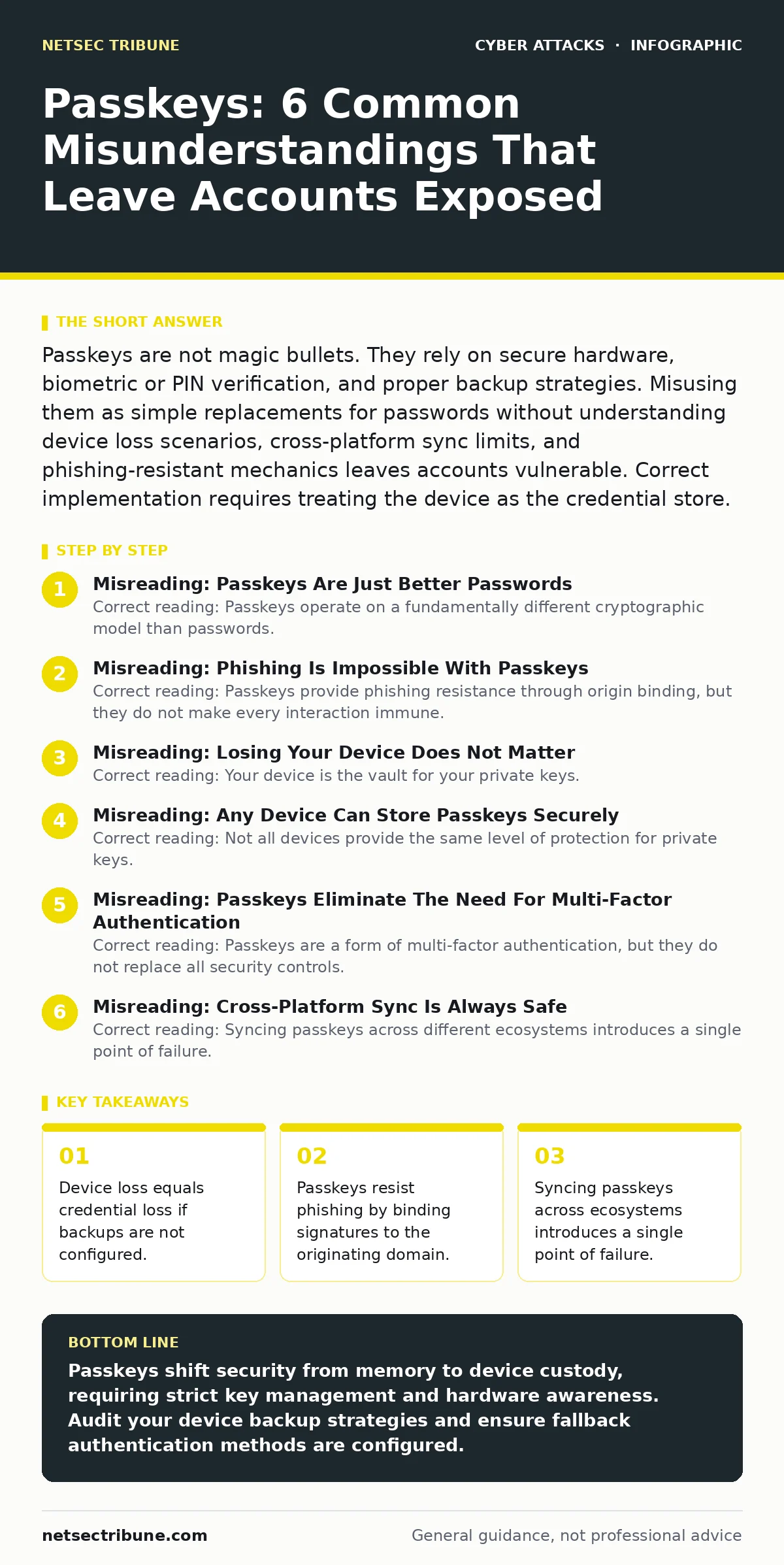
Misreading: Phishing Is Impossible With Passkeys
Correct reading: Passkeys provide phishing resistance through origin binding, but they do not make every interaction immune. When you authenticate, the browser includes the website’s domain in the cryptographic signature. If a phishing site mimics the login page but uses a different domain, the signature will not validate. The server rejects it.
However, this protection relies on the browser correctly identifying the origin. Imagine a scenario where a user is tricked into installing a malicious browser extension that intercepts the authentication request. The extension can redirect the request to a legitimate domain while displaying a fake interface. The cryptographic check passes, but the user’s intent was manipulated.
Misreading: Losing Your Device Does Not Matter
Correct reading: Your device is the vault for your private keys. If you lose the device, you lose access to the credentials stored within it. Unlike passwords, you cannot guess your way back in. Most passkey implementations allow you to back up your keys to a cloud sync service or export them to another device. This backup mechanism is critical. Without it, device loss results in permanent account lockout. Suppose you switch phones without transferring your passkeys. You will be unable to sign in to any service that requires them. The convenience of passwordless login shifts the burden of key management from memory to device continuity.
Misreading: Any Device Can Store Passkeys Securely
Correct reading: Not all devices provide the same level of protection for private keys. High-end devices use a Trusted Platform Module or a Secure Enclave to store keys. These hardware components prevent the keys from being extracted by malware or the operating system. Lower-end devices may store keys in software, which is vulnerable to extraction if the device is compromised. When you create a passkey on a software-backed device, you gain convenience but lose the hardware-rooted trust. Security operations teams must recognize that the strength of the authentication depends on the underlying hardware security module of the user’s device.
Misreading: Passkeys Eliminate The Need For Multi-Factor Authentication
Correct reading: Passkeys are a form of multi-factor authentication, but they do not replace all security controls. They combine something you have (the device) with something you are (biometrics) or know (a PIN). This satisfies 2-factor requirements. However, they do not protect against all threats. Imagine an attacker who gains physical access to your unlocked device.
They can use your stored passkeys to authenticate. Passkeys do not protect against insider threats or physical compromise. Organizations should still monitor for anomalous login patterns. A successful passkey login from a new location or device should trigger additional verification steps, even if the cryptographic proof is valid.
Misreading: Cross-Platform Sync Is Always Safe
Correct reading: Syncing passkeys across different ecosystems introduces a single point of failure. If you use a cloud service to sync keys between your phone and laptop, that cloud account becomes a high-value target. Compromising the cloud account grants access to all synced passkeys. This expands the blast radius of a single credential breach. Users often assume that because the keys are encrypted, they are safe. Encryption protects data at rest, but if the attacker controls the decryption key via the cloud account password, the protection fails. You must treat the cloud sync account with the highest security posture, including hardware-backed multi-factor authentication.
Misreading: Passkeys Work Everywhere Seamlessly
Correct reading: Passkey adoption is not universal. Some legacy systems or specialized software do not support the Web Authentication standard. Users may need to fall back to passwords or one-time codes. This fallback creates a weakest-link problem. If a user manages passkeys for most services but uses a weak password for one legacy system, an attacker can target that system. The attacker may then use the compromised account to reset passwords for other services linked to the same email address. You cannot assume passkeys provide blanket protection. You must audit your service portfolio for unsupported authentication methods.
Misreading: Biometrics Are The Only Backup Method
Correct reading: Many users assume biometrics are the only way to unlock passkeys. This is incorrect. Most implementations allow a fallback PIN or device password. This is useful if the biometric sensor fails or is unavailable. However, relying solely on biometrics can lock you out if your finger is injured or your face is obscured. Ensure that your device allows a PIN override. This redundancy is critical for availability. Security is not just about preventing unauthorized access; it is also about ensuring authorized access when needed. A system that locks you out is as broken as one that lets attackers in.
Key takeaways
- Device loss equals credential loss if backups are not configured.
- Passkeys resist phishing by binding signatures to the originating domain.
- Syncing passkeys across ecosystems introduces a single point of failure.
Passkeys shift security from memory to device custody, requiring strict key management and hardware awareness. Audit your device backup strategies and ensure fallback authentication methods are configured.
Frequently asked questions
Do passkeys protect against keyloggers?
Yes, because passkeys do not involve typing secrets. The authentication happens via cryptographic signatures generated on the device, bypassing input capture mechanisms.
Can I use passkeys on a shared computer?
You can, but you should not store passkeys on shared devices. Use platform-agnostic authenticators or temporary codes to avoid leaving private keys on untrusted hardware.
What happens if I reset my phone?
If you have not backed up your passkeys, you will lose access to accounts that require them. Restoring from a backup that includes your keys is the only way to retain access.
Are passkeys compatible with all browsers?
Major browsers support the Web Authentication standard, but older versions or niche browsers may not. Check compatibility before enforcing passkey-only policies.
How this guide was produced: written by the NetSec Tribune editorial team with AI assistance, checked against the public references listed below, and reviewed when the facts change. See our editorial policy or report an error.