Clone Phishing Myths Debunked: What Attackers Actually Do
Attackers rarely forge the sender name; they exploit your trust in the original thread context and your muscle memory to bypass standard email filters.
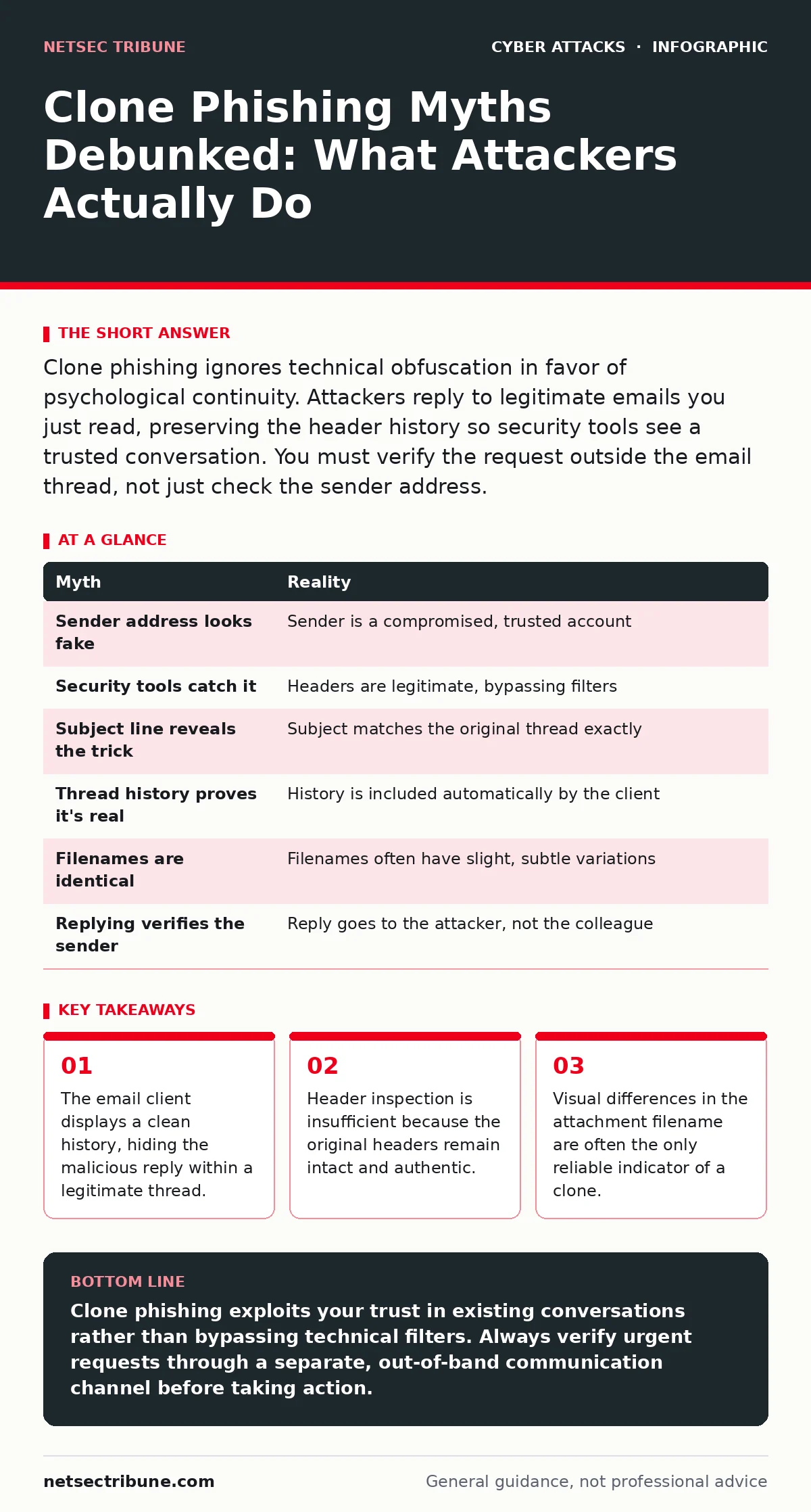
Clone phishing ignores technical obfuscation in favor of psychological continuity. Attackers reply to legitimate emails you just read, preserving the header history so security tools see a trusted conversation. You must verify the request outside the email thread, not just check the sender address.
Myth: The sender address looks completely different
Reality: Attackers do not alter the "From" address to a random string. They send the malicious message from a compromised account that you already know and trust. The email arrives in your primary inbox, not the spam folder, because the sending server has a good reputation. Your security software sees a message from a known colleague, so it applies the same trust level it always does.
The deception relies on the fact that you have previously corresponded with this individual. The attacker does not need to spoof a domain; they need access to an account that already sits on your contact list. This bypasses many basic filtering rules that flag unknown senders or mismatched domains. You assume the source is safe because the identity is familiar.
This approach exploits the default trust you place in internal communications. It renders simple sender-verification ineffective because the sender is technically correct. The attack succeeds by hiding in plain sight within your existing communication patterns. You must treat every request for action as suspicious, regardless of who sends it.
Myth: Email security tools will catch the forgery
Reality: Standard secure email gateways analyze headers, attachments, and links for known threats. In a clone phishing scenario, the headers are legitimate because the message originated from a real account. The attachment may be a clean document or a benign-looking PDF that does not trigger signature-based detection. The link may point to a newly registered domain that has not yet been blacklisted.
These tools operate on known indicators of compromise. They cannot easily distinguish between a legitimate reply and a malicious one if the content is similar. The system sees a continuation of an existing thread and assumes the context is valid. This blind spot allows the message to pass through technical defenses unchallenged.
Relying solely on automated filtering creates a false sense of security. The tool cannot read your intent or verify the urgency of the request. You must understand that technical controls have limits when facing human-centric attacks. The defense must shift from detection to verification.
Myth: Checking the subject line is enough
Reality: The subject line often remains identical to the original message, such as "Re: Invoice #1234" or "FW: Meeting Notes". This continuity preserves the context of the conversation. Your brain processes the subject as a continuation of a task you are already engaged in. You skip the careful scrutiny you would apply to a new, unrelated email.
Attackers use this cognitive shortcut to reduce your defensive reflexes. You expect the content to match the previous message, so you do not look closely at the details. The subject line acts as a psychological anchor, keeping you in the flow of the original interaction. This makes the malicious request feel like a natural next step.
Visual similarity is the primary weapon here. The attacker wants you to stop thinking and start clicking. You must break this flow by treating the subject line as irrelevant to the security assessment. Focus on the action requested, not the topic discussed.
Myth: The email thread history proves authenticity
Reality: When an attacker replies to a message, the email client includes the previous messages in the thread. This history shows the legitimate exchange that occurred before the compromise. You see the original request, your response, and now the attacker's reply. The chain of custody appears unbroken and authentic.
This feature is designed for convenience, not security. It allows you to follow the conversation without searching for old emails. Attackers exploit this by embedding their malicious request within a verified history. The presence of past, legitimate emails lends credibility to the current, fraudulent message.
You might assume that if the past emails are real, the latest one must be too. This is a logical fallacy that attackers count on. The history does not verify the sender's current intent or authorization. You must ignore the thread length and focus solely on the latest message's demands.
Myth: Attachment filenames are always identical
Reality: Attackers often change the filename slightly to bypass duplicate file detection or to create urgency. A file named "Invoice.pdf" might become "Invoice_Final.pdf" or "Invoice_v2.docx". This small change is easily overlooked when you are scanning the screen quickly. The human eye tends to match patterns, not spellings.
This variation serves two purposes. First, it may avoid triggering alerts that flag duplicate files sent from the same source. Second, it suggests that the document has been updated or revised, adding a layer of plausible deniability. You assume the change is intentional and necessary, not malicious.
You should compare the filename character by character with the original expectation. Any deviation in naming convention is a potential red flag. This requires a moment of deliberate verification rather than automatic acceptance. The slight difference is the crack in the illusion.
See also: Social Engineering Explained: How Manipulation Bypasses Security
Myth: You can verify by replying to the email
Reality: Replying to the email sends your response to the attacker's compromised account. The attacker controls this inbox and will likely delete your reply or ignore it. You receive no confirmation, which you might interpret as the colleague being busy. This verification method fails completely because the channel itself is compromised.
The attacker has effectively hijacked the communication loop. Any message you send to that address goes to the adversary. You must use an out-of-band method to verify the request. This means calling the colleague on a known phone number or using a separate messaging platform.
This step breaks the attacker's control over the narrative. It forces a real-time confirmation that cannot be faked via email. It adds friction to the process, which is exactly what you need to slow down the attack. Verification must happen outside the compromised medium.
| Myth | Reality |
|---|---|
| Sender address looks fake | Sender is a compromised, trusted account |
| Security tools catch it | Headers are legitimate, bypassing filters |
| Subject line reveals the trick | Subject matches the original thread exactly |
| Thread history proves it's real | History is included automatically by the client |
| Filenames are identical | Filenames often have slight, subtle variations |
| Replying verifies the sender | Reply goes to the attacker, not the colleague |
Key takeaways
- The email client displays a clean history, hiding the malicious reply within a legitimate thread.
- Header inspection is insufficient because the original headers remain intact and authentic.
- Visual differences in the attachment filename are often the only reliable indicator of a clone.
Clone phishing exploits your trust in existing conversations rather than bypassing technical filters. Always verify urgent requests through a separate, out-of-band communication channel before taking action.
Frequently asked questions
How do attackers get access to the accounts they use for clone phishing?
They often use credentials stolen from previous breaches or trick users into revealing passwords through initial social engineering attacks. Once inside, they map your contacts to find high-value targets.
Can multi-factor authentication prevent clone phishing?
Multi-factor authentication protects the account from unauthorized login, but it does not stop an attacker from sending emails once they have gained access to a legitimate account. It prevents the initial compromise, not the subsequent abuse.
What should I do if I think I fell for a clone phishing attack?
Immediately report the incident to your security team and change your password. Isolate any files you may have opened and monitor your account for further suspicious activity.
Why don't email clients detect these replies as spam?
Email clients prioritize user experience by showing continuous conversations. They do not analyze the semantic intent of a reply, only its technical structure, which remains valid in a clone phishing scenario.
How this guide was produced: written by the NetSec Tribune editorial team with AI assistance, checked against the public references listed below, and reviewed when the facts change. See our editorial policy or report an error.